Multiple docker build agents on same host. [SOLVED]

Hi.,
I'm using TeamCity with an OSS license kindly given to me by JB for my project (https://www.pingnoo.com). Currently, I have created a number of container instances on Proxmox for Debian, Ubuntu, Fedora and Arch, these are running all the time and registered with my TeamCity server.
I'm hitting a wall though, my Proxmox machine is a NUC with 64GB of RAM and it runs an OPNsense virtual machine which is my firewall and a few other containers that I require for my network. Because the containers for teamcity build agents are constantly spun up, they each take a chunk of memory and I don't have much left now on the machine.
I would like to create a few more build containers for other Linux variants, but because I'm now RAM limited I'm stuck.
It would be really nice if TeamCity could spin up proxmox containers for the duration of a build, but I've looked and can't see anything about doing this. I have seen docker mentioned and I use docker a lot myself, but Proxmox doesn't support docker.
I'm guessing that there isn't currently a plugin to provide the functionality I am looking for, I'm assuming it's technically possible but I haven't delved into the plugin architecture documentation myself.
Please sign in to leave a comment.
Hello Adrian!
Thank you for the clarification; indeed, this would be convenient, but I imagine the change would not be an easy one (as each build runner has its own .jsp file defining how the Settings section should be rendered). Still, I have created an usability problem on our tracker: https://youtrack.jetbrains.com/issue/TW-71301 - please feel free to vote or comment as you see fit.
Hi Fedor, once again thanks for the superb support, I really am blown away by the interaction I've had with you considering I'm on an OSS license.
Here's another thing that would be very useful, at least for me, I'm sure it would be great for others. This is the current set of build configurations I have for Pingnoo, I keep extending it for other distributions and so on.
When I'm building, it would be really useful to have a shortcut in the top menu bar, which basically took you to a screen showing all of the current builds "output windows" in one long list. Presently I have to keep clicking around to find my way to the current build output of a particular, err, build. Having a shortcut to display all builds (or even an option to select which builds are shown in this list) would be suprt useful.
I'm currently fighting with Arch because the deployment tool, makepkg won't let you run as root, and when I tell teamcity to run the arch build container as a different user I get permissions problems and the build fails. I've spent hours trying to figure out how to make this work, but all I end up with is various file in the build tree on the arch linux docker with permissions and user/group id that looks like "??????".
Another one while I'm currently fighting arch.
Is it possible for a build step to "release" (or take) a shared resource that has been taken by the build?
The reason for this is simple. Some of my build steps are processor intensive, other bits are just a lot of waiting around for something to happen (like code signing). Some are bound for single thread use.
Hypothetical Case:
This build configuration takes the shared resource, now no other builds can occur on this agent.
We compile the code, we use every bit of the systems processing power to build, we're having multiple threads compiling code.
We've completed the compiling stage, and are now at the packaging stage. This happens single threaded, so now our agents resources are being wasted, they could be put to getter use if at the start of this stage, I release the shared resource. The moment I do that, another configuration will start and the same behaviour will repeat.
Our packaging finishes and the artifacts are published.
This is even more visible when dealing with macOS builds, where as part of the process you have to send your signed application off to apples servers to have it notarized, depending on their load it could be 5-10 minutes, it could also be an hour or so, so the agent is just sitting there polling the notification service every few seconds to see if it's been notarised or whether it has failed.
If it was ok, then you staple the ticket to the binary and then in most cases, you'll then create a DMG which contains your binary and then you repeat the process of sending the DMG for notarisation and again, you send and then wait while triddling your thumbs.
Another one.... (do you dread opening the forum to see if I've written something?! lol)
Downloading artefacts, again you end up having to keep clicking down into the hierarchy until you get to a page that allows you to download all the artefacts as an archive.
I have a "Build All" configuration, which, well builds all of the different platform builds. When it's finished, I have a screen like this which shows the summary of the build.
I can see the artefacts, but oddly, there's no "download all as zip" option here, so I have to then start to descend into the build until I get to a page like this:
Where there is a lovely Download All button.
The main page (first picture) has a lovely "..." button next to the artefacts icon which looks like the ideal place to add "Download All Artefacts in zip".
Hello Adrian!
Not at all, it is my pleasure! Sorry for the delay here, had my hands full for a while.
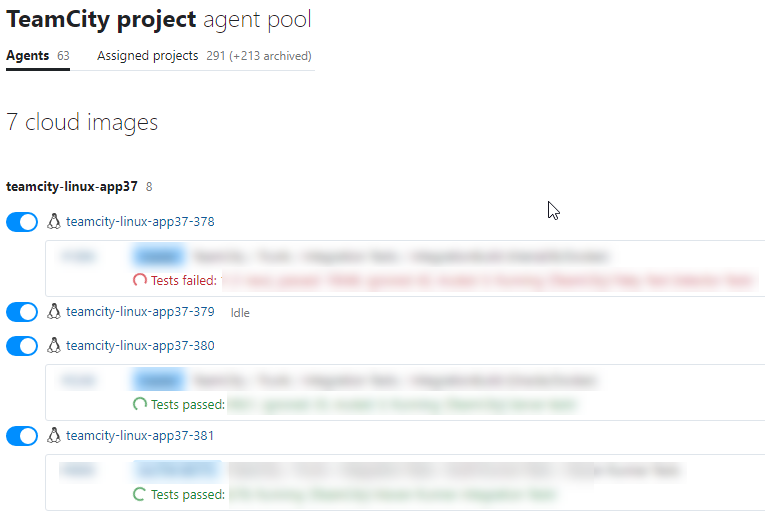
1) A screen with all "current builds" output - it is my understanding that you mean a list of currently running builds and their current status (e.g. running step #4 or encountered a build problem, or else); please correct me if I am wrong. While a list containing all builds may not be too useful for the larger installations (even a list of 50+ concurrent builds is unmanageable), to a degree you may achieve the same by opening the agent pool which includes the agents that run the builds you aim to check:
2) Managing shared resources from a build. This is a popular request (see the corresponding items: one, two) but, unfortunately, it is not possible to free up a resource from within a build right now. A build may be split in two: processor-heavy part which is a subject to the resource limitation and lightweight part which is about polling/waiting. As of 2020.2, TeamCity also has agentless build step feature - it allows to, at some point, pass control to an external process and detach the build from agent, freeing it up for other tasks. Suppose you have an external tool which is triggered during the build and will work for a while; to avoid agent idling until the tool is done working, build may be detached when the control is passed to the tool. When the tool is done, it has to report to the server that the build is over - and that is it.
I am not sure if the feature would be applicable for the code-signing purposes, though, given that you need a service which would do the polling and would handle the build status reporting too - it may be more convenient to leave that at the agent logic. Still, you may have single agent who would handle code signing part as it is not OS specific.
3) "Download all..." shortcut from the Artifacts icon on the build overview. Sounds like a great idea to me, thank you for the suggestion! I have registered one as https://youtrack.jetbrains.com/issue/TW-71316; as usual, please feel free to vote or comment. On a side note, you may always populate a feature request directly on our tracker via this link.
Please let me know if I have missed something :)
Hi!
Yeah, I suspected that it wouldn't be possible, splitting it into separate configurations would be complex, I'm not even sure if it's possible with the docker agent unless you persist the build data somewhere outside of docker and mount it into each build config. I think this is probably a feature that would be very popular with people (as shown by the other feature requests). Even an API that allows the incrementing or decrementing of a shared resource, then it would only be a matter of having a binary that you could call in a command-line step:
take would effectively block the command and only return when it has managed to take the resource (exit code could be used to allow timeouts)
I think this would be a killer feature, but I appreciate what users want and what is technically feasible are two entirely different things!
Thanks for taking on board the Download All idea, even if it's not a big time saver, it's a logical thing, to me it's logical to go to that ... and be able to download it, it's illogical to have to drill down through layers to find it.
WIth regards to 1, it was actually the expanded output that I'd like to see, so that I can see not just the current step being executed, but the detail about what is happening, a list of these for the agents, I currently have 5 set up (don't ask, I managed to kill my server when I had too many parallel builds going on, so I ended up having to reduce the docker buildagent to just 1.
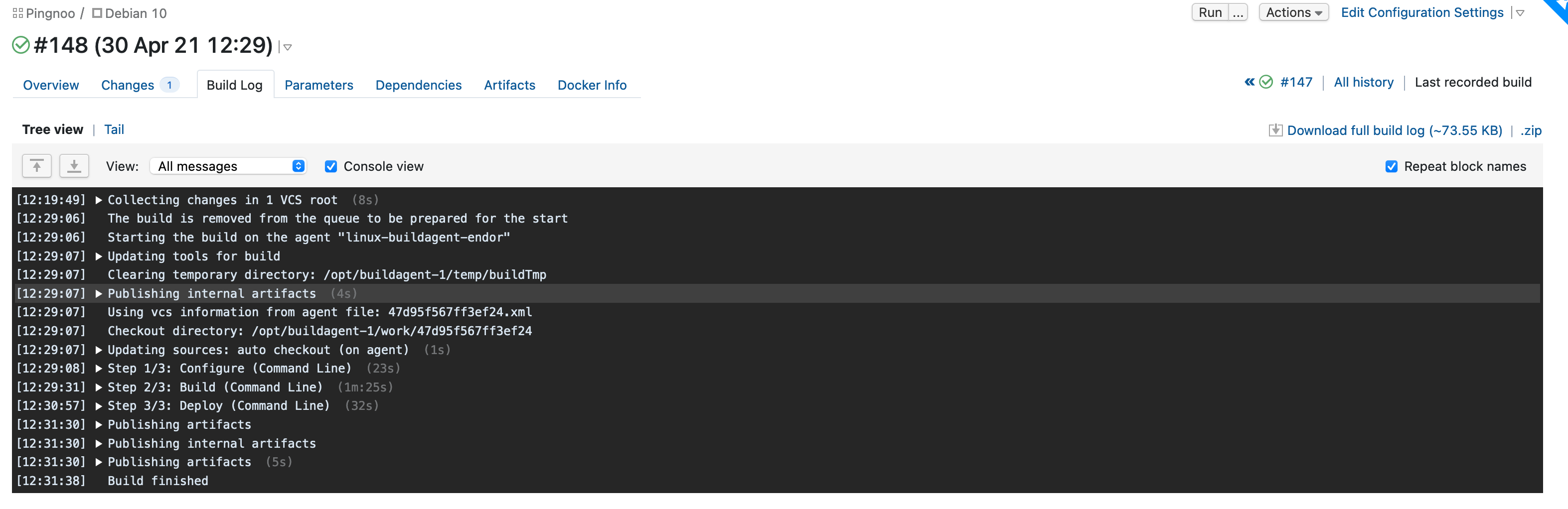
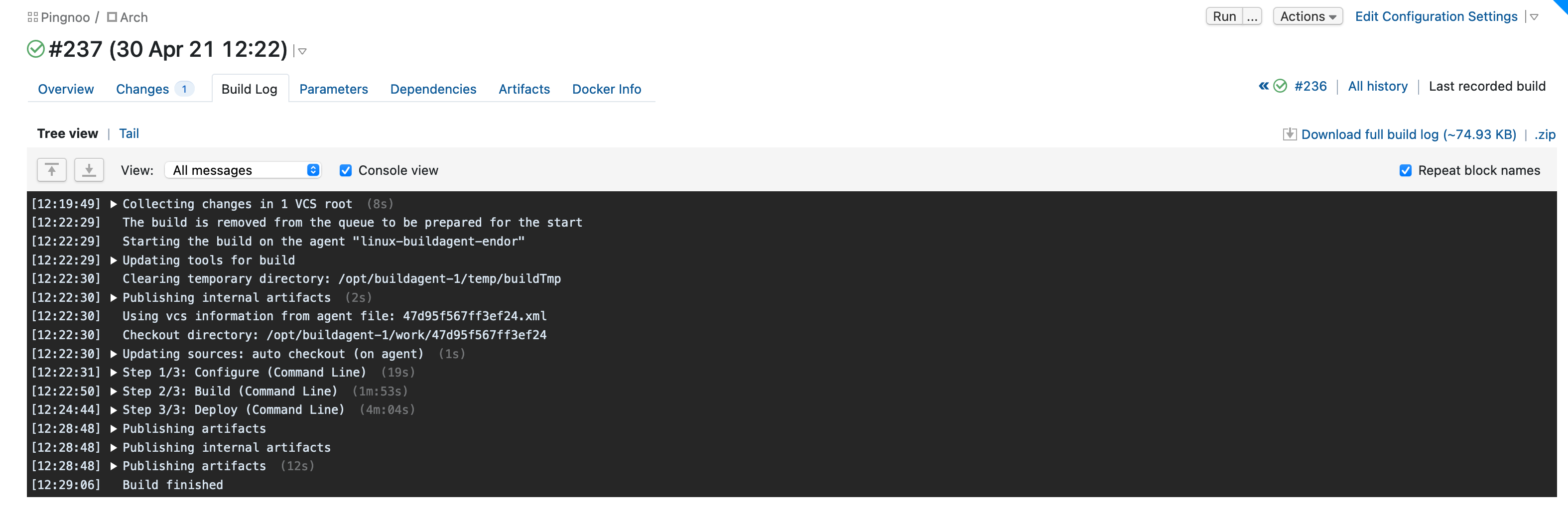
Excuse the crude depiction, but it's basically just a page showing the current build log output (as the build agents are running) for the current configuration (whether that is a single configuration or more usefully, the child builds of a configuration).
I can just scroll up and down the page and see detailed information about how the build for the configurations is proceeding.
Hello Adrian!
Just to clarify, what use case would this view cover? It helps to check the progress of several builds simultaneously but I would dare say that the most common example of when a user wants to watch over several ongoing builds at once is a build chain. The builds there are either running one by one or, in case there are several snapshot dependencies, are running concurrently. I agree that there are cases when it would be convenient to watch concurrent builds on the same screen (e.g. during the initial setup to avoid swapping tabs, or when the chain is being extensively modified so that the failure may occur in either build), but these cases do not appear that common.
Could you please share the details on the benefit this view would provide? Looking forward to hear from you.
I have an ever-increasing number of configurations in the build chain, while I can see an "overview" of builds occurring, for example, "Running step 3 or 5" it doesn't give me any real indication of what is going on (it may colour the text, I can't remember if the build output throws colour - which unfortunately MSVC does to show compiler information), I sometimes like to look at the detail of the builds as they occur, they may be compiling, but they may be throwing out warnings which might be a case for stopping the entire chain, fixing the issue, and then re-running.
Currently, to do this, I have to go into every single configuration that is running and look at the build output. Even a popup view that is shown when you click, for example, a button on each build that is named something like "View build progress".
Maybe I work funny, but it seems like something I would find useful, my build chain can consist of 5 or 6 concurrently running builds and when I check in to see how things are going, I'd like to do that easily in detail.
Hello Adrian,
I see, thank you! From the technical point of view, processing multiple build logs may be demanding. Information like "Step X: ..." can be improved, to a degree, by reporting custom build status in key points of the build (via a corresponding service message), e.g. "Compiling certain sub-module". It won`t help with the unexpected warnings, though.