Integrated Authentication Failed error when installing TeamCity with SQL Server 2019

I am attempting to install the current version of Team City Server on a Windows Server 2019 and point it to a brand new SQL Server running SQL Server 2019 (also running Windows Server 2019) and am having issues connecting to the database and finding conflicting information on how this should be resolved.
Once the Windows Installer completed, I told it not to start the services and then went to modify the Windows Services for the Server and Agent to run under a specific account that has permissions to run applications on this server and also has the necessary Windows and SQL permissions to connect to our new SQL 2019 server. Also one thing to note is I am using the bundled JRE with TeamCity and not referencing any externally installed version of it.
When first performing the setup and I get to the database connection step I have it automatically download the JDBC Driver and it appears to have fetched version 8.2 based on what I see on screen and what I saw in the TeamCity server log:
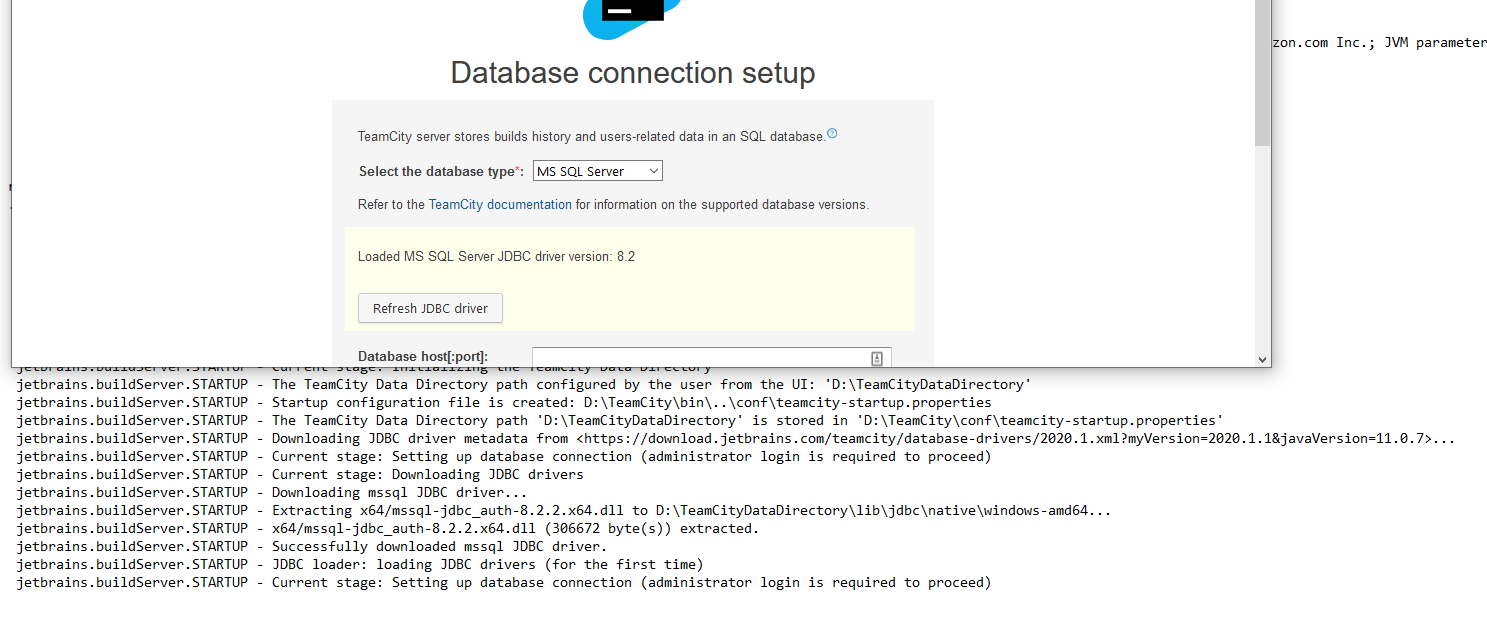
But then when it tries to connect to this SQL 2019 instance I get the following error:
Integrated authentication failed. ClientConnectionId:43dc946a-7632-49b1-b715-5f5992604885: com.microsoft.sqlserver.jdbc.SQLServerException: Integrated authentication failed. ClientConnectionId:43dc946a-7632-49b1-b715-5f5992604885

If I instead try to have it connect to an older SQL instance running SQL 2012 where I had TeamCity previously running, it connects just fine and informs me that it found a TeamCity DB there that was not empty, which confirms to me that it can connect to it. Here is the message that it says:
Found a TeamCity schema when expected an empty database
Also when I try to connect to a SQL 2016 box that does , it tells me that it cannot open the database with this message, which is what I expect since the TeamCityDB does not exist there:
Could not connect to Microsoft SQL server: Cannot open database "TeamCityDB" requested by the login. The login failed.
To confirm that these are not issues related to the account that I have TeamCity running under I changed TeamCity to run under my own account, which is setup as a local admin on both the server where I am installing TeamCity and the SQL Server, and it is a sysadmin in SQL, and when pointing to each of those three SQL instances I get the same results where 2019 gives the integrated auth error, and SQL 2016 and SQL 2012 both connect but then throw errors related to the database itself.
If I redo the install of TeamCity and instead at that same step for connecting to the database say I will install the JDBC driver manually, the link provided downloads version 6.4 of the JDBC driver and when I tried to use that I did not have success. But as you can see from this page, that verson is not compatible with SQL 2019 so I am sure that is why it did not work:
https://docs.microsoft.com/en-us/sql/connect/jdbc/microsoft-jdbc-driver-for-sql-server-support-matrix?view=sql-server-ver15#sql-version-compatibility
I have also tried adding the line (com.microsoft.sqlserver.jdbc.level=FINEST ) mentioned here for JDBC tracing into the teamcity server.properties config file and was not able to find where the log might be to see if there is any further information in there.
I have also checked in the teamcity server logs to see if they provide any additional information about how to further diagnose this issue but I did not find anything of value in them beyond the error I already see via the UI.
All of this confirms to me that the JDBC driver it is using is compatible with SQL 2012 and SQL 2016 but is not working with SQL 2019. But if there is anything I have missed or anything that might be helpful in further diagnosing this or getting this install completed please let me know.
Please sign in to leave a comment.
Well I solved this on my own. I tried to install another piece of software, Octopus Deploy, and during its database setup step, it also threw an error but its error was a little more specific and said "Cannot generate SSPI Context", which then lead us down the path to discover that the Service Principal Name (SPN) was either incorrect or non-existent. Once we generated it we got past the error we were seeing in Octopus Deploy and in Team City as well.