Build template parameters in "Dependencies" section
Completed

We have many services which differ from each other only by service name and vcs-roots. We want to implement build chain: Artifacts / Services / ServiceA(artifact) -> Deployments / ServiceA but we can't specify parameters in Artifact-template's "Dependencies" section(field "Depends on"). We must specify it everytime when we create service build configuration and this is terrible. 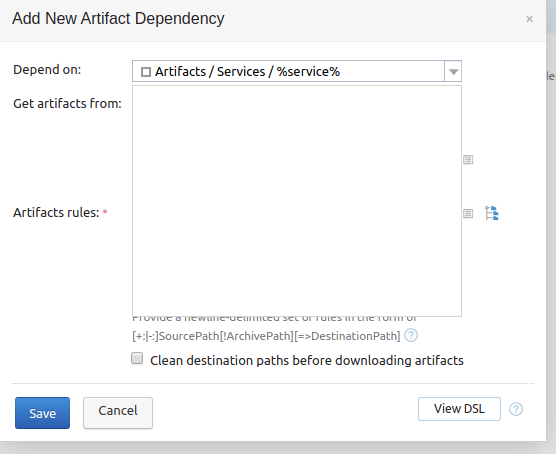
Maybe there are some workarounds? Thx in advance!
Please sign in to leave a comment.
Hi Alexandr,
I'm afraid this field does not support parameter references. While the displayed reference is to a build config, the resulting information sent is a build configuration ID, so trying to add custom text on top of it will not help. For reference, fields which support parameter references are marked with the small lined box next to it.
If dependencies to the same artifacts are repeated through multiple build configurations, you can use build templates to share configuration. Artifact dependencies can also be included in the templates. This will reduce the overhead to a degree, and a single build configuration can be attached to multiple templates, so you can have granular control over the dependencies.
At the same time, projects and build configurations are stored on disk as xml files. Changes to this xml files are loaded by the server automatically (it might take a few seconds), so if you repeat this procedure often enough, it might make sense to create a script that simply copies the required files generating the required information.
Otherwise, the only way to improve this scenario is to use the Kotlin DSL, where you can use kotlin code to generate the artifact references rather than have to manually create them one by one: https://www.jetbrains.com/help/teamcity/kotlin-dsl.html . If you have enough services that this kind of scenario is presented often enough to require automation, it might make sense to go a step further, enable versioned settings using kotlin and use code instead of or additionally to the UI.