TeamCity Builds getting queued and takes CPU to 100%

Our Teamcity (v 8.0.2) came with our legacy application support and was working fine up until 2 days back. For some reason our VM went down and after it was brought up, Team city build agent started behaving weirdly and started showing connected and disconnected at same time and projects were showing no compatible build agent. After a long day of startingand restarting server and agent ( startup.sh for server and agent.sh for agent ) , and trying creating new agent etc.. we finally managed to get agent to show properly connected and configurations looked good. We had to change time on Team city server at this point as it was off by several days. After all this finally when we got agent up, our Builds Started hanging. It will show queued,and CPU usage spikes to 100%. Only when tomcat is stopped, it will go down. Attaching thread dumps taken during the time. I could see below -
"Background Directory DirectoryCleanerImpl 1" group="main" prio=5 tid=13 nid=13 waiting
"update agent properties 1" daemon group="main" prio=5 tid=12 nid=12 waiting
"Reference Handler" daemon group="system" prio=10 tid=2 nid=2 waiting
"XML-RPC Weblistener" group="main" prio=5 tid=26 nid=26 runnable "Cleanup expired work dirs 1" daemon group="main" prio=5 tid=29 nid=29 waiting "Change Observer 1" daemon group="main" prio=5 tid=8 nid=8 waiting
Tried various steps like deleting all artifacts, cache folder. In between this our nightly clean up kicked in and since 14hrs team city is stuck at Current stage: Executing global cleaner: AuditLogDataCleaner . Please help. We are not in a stage to upgrade at this point. Appreciate any help a lot.
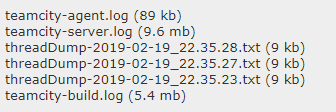
Uploaded following files
Please sign in to leave a comment.
Hi Smitha,
Sorry for the delay. I've been going through the logs and dumps and I can't seem to find anything. Were the thread dumps taken when the server was at 100% CPU? Because the dumps are showing at 5-10% CPU usage.
From the error messages, it does seem like there is something that got corrupted, but the logs have really no trace of that. There is a very small amount of errors and they don't seem to have relation to this problem. The ones I've seen are from the database as well, which has lead me to realize that you are still using the default database, HSQL, the one TeamCity is shipped with, which is not recommended beyond test purposes.
Also there seems to be some issue where the date on the server was completely wrong, as there are logs dating until the 2nd of March, which should not happen on a log that was generated before the 20th of Feb, and an error with the database happens right after the date changes back to the correct times.
At this stage, if clearing all the caches hasn't helped, I'd recommend running a backup with our provided tools: https://confluence.jetbrains.com/display/TCD8/Creating+Backup+via+maintainDB+command-line+tool
Then attempting to remove the installation, reinstall it, and trying again after restoring the data.