Failing clean checkout in workspace

Hi Team,
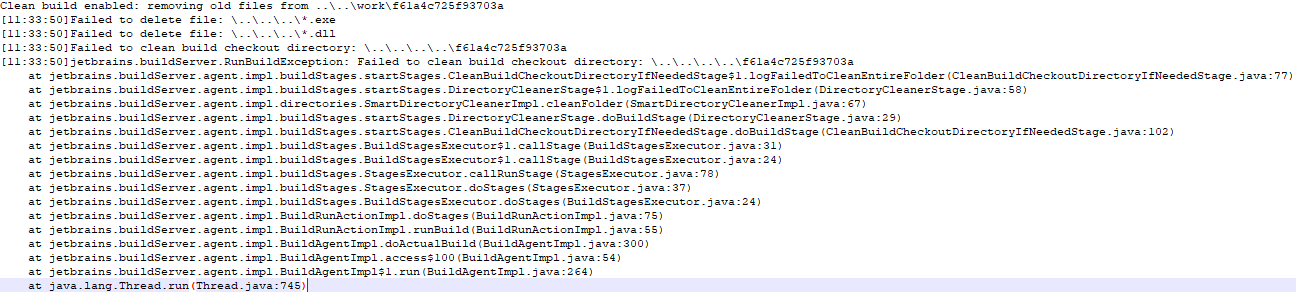
We have enabled clean checkout in the build step of TeamCity which is unable to delete few *.exe and *.dll files which is tending to fail the builds. TeamCity Server and Agents are residing on different servers. The TC Agents work directory has got full access (Read/Write) for the user using which operations are being performed.
While trying to delete the files manually by logging into the servers it gives an exception stating that the files are open or being used by other processes.
We started facing this issue after upgrading TeamCity server from v9.1.7 to v2018.1.3
Kindly help us to resolve the issue.
Following is the BuildLog Error:
Regards
Tanveer Mujtaba K
Please sign in to leave a comment.
Hi Tanveer,
This issue happens mainly when any of the processes hasn't been properly finished. Depending on your system, I assume Windows, there are tools to locate which processes are keeping processes open there: https://gallery.technet.microsoft.com/How-to-find-out-which-c0d4e60e
Once you locate and kill those processes, builds should work normally.
If the issue keeps recurring after the processes have been killed, please open an issue in our tracker for it: https://youtrack.jetbrains.com/issues/TW