Installing on External MSSql Database

I keep getting the following error when trying a brand new installation of TeamCity onto an external mssql server:
The TCP/IP connection to the host [listenername], port [####] has failed. Error: "Connection timed out: no further information.. Verify the connection properties. Make sure that an instance of SQL Server is running on the host and accepting TCP/IP connections at the port. Make sure that TCP connections to the port are not blocked by a firewall.".: com.microsoft.sqlserver.jdbc.SQLServerException: The TCP/IP connection to the host fwcsqlprod1, port 5525 has failed. Error: "Connection timed out: no further information.. Verify the connection properties. Make sure that an instance of SQL Server is running on the host and accepting TCP/IP connections at the port. Make sure that TCP connections to the port are not blocked by a firewall."
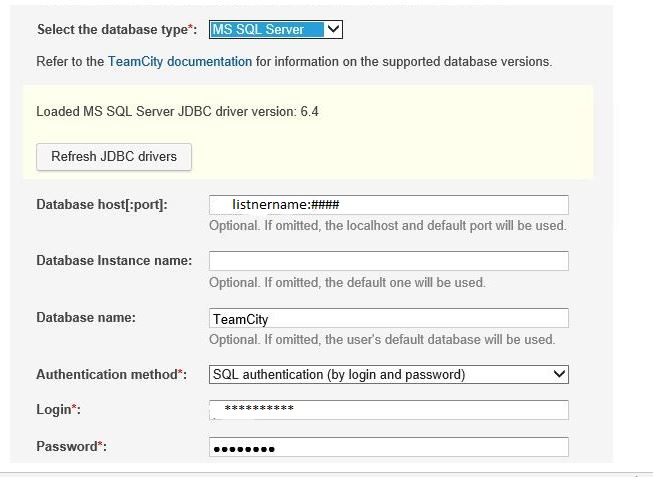
I've also tried the fully-qualified name to the server instead of the listener and I get the same result. We are using a different port from the standard 1433. We have other TCP/IP Connections to that MSSQL Server using the same port used here and they work just fine. It's MSSQL 2014.
I've contacted our hosting provider (a state datacenter) and they say there shouldn't be a firewall issue.
Any suggestions?
Please sign in to leave a comment.
Can you verify that a TCP connection to your MS SQL Server instance can be established from that very host which is running TeamCity?
You can use tools like telnet, tcping or nmap.
It ended up being a firewall issue that I had to sort out with our networking team. Thanks.