Leaving out "Default branch" when creating/editing a VCS Root

So at some point, I created a VCS Root, with no default branch and I don’t know how I did it, but would like to do it again.
We have quite a few GitFlow branches (hotfix, release, features) where not having a Default branch would be beneficial. But for each new VCS root I create, I am forced to put in something like refs/heads/system/fake-branch as the default branch (which was a trick until 2017.1 was released) and then using “Disable Building in Default Branch” as per https://confluence.jetbrains.com/display/TCD10/Configuring+VCS+Settings#ConfiguringVCSSettings-DisableBuildinginDefaultBranch.
If this was version specific and then changed, if my memory is correct, we moved to 2017.1, I created the VCS root without a default branch but then during an upgrade, that ability was lost. We went to 2017.1.1 for a while and are now on 2017.2.3.
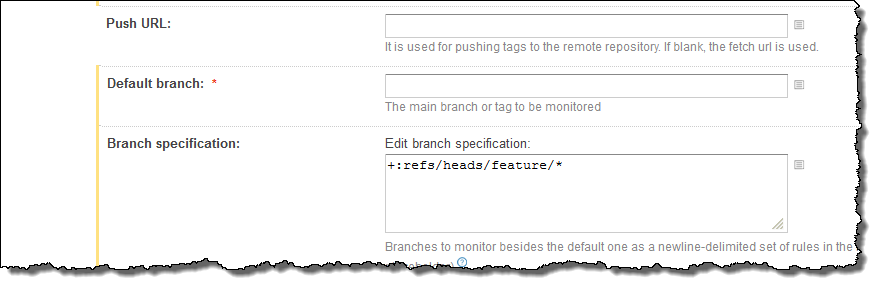
I’ve included a screenshot of a very old VCS root to show you I could do it at some point. I created it, but now I can no longer make changes to it since the save raises “Branch name must be specified”.
Please sign in to leave a comment.
Hi Randar,
the parameter is mandatory, and has been in all recent versions. It might be possible to remove it manually from the XML config file, but having it missing might lead to issues, so we cannot recommend doing it. If you have had it like that and it worked, you might be able to keep it like that, but keep in mind that it's not officially supported, TeamCity assumes that the field is populated so there might be errors or unexpected behavior from not having it populated.