TeamCity FTPS Upload - 521 PROT P required

Hey.
I'm trying to add a build step that uses FTPS (not SFTP) to upload some files to a server.
The server uses FileZilla Server, and have a valid certificate.
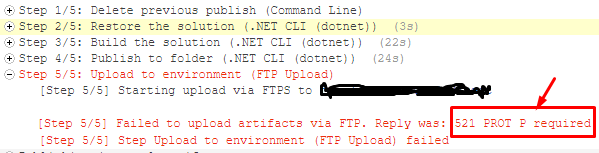
When ever I try to upload I get the same error: "521 PROT P required"
My build step looks like the following:
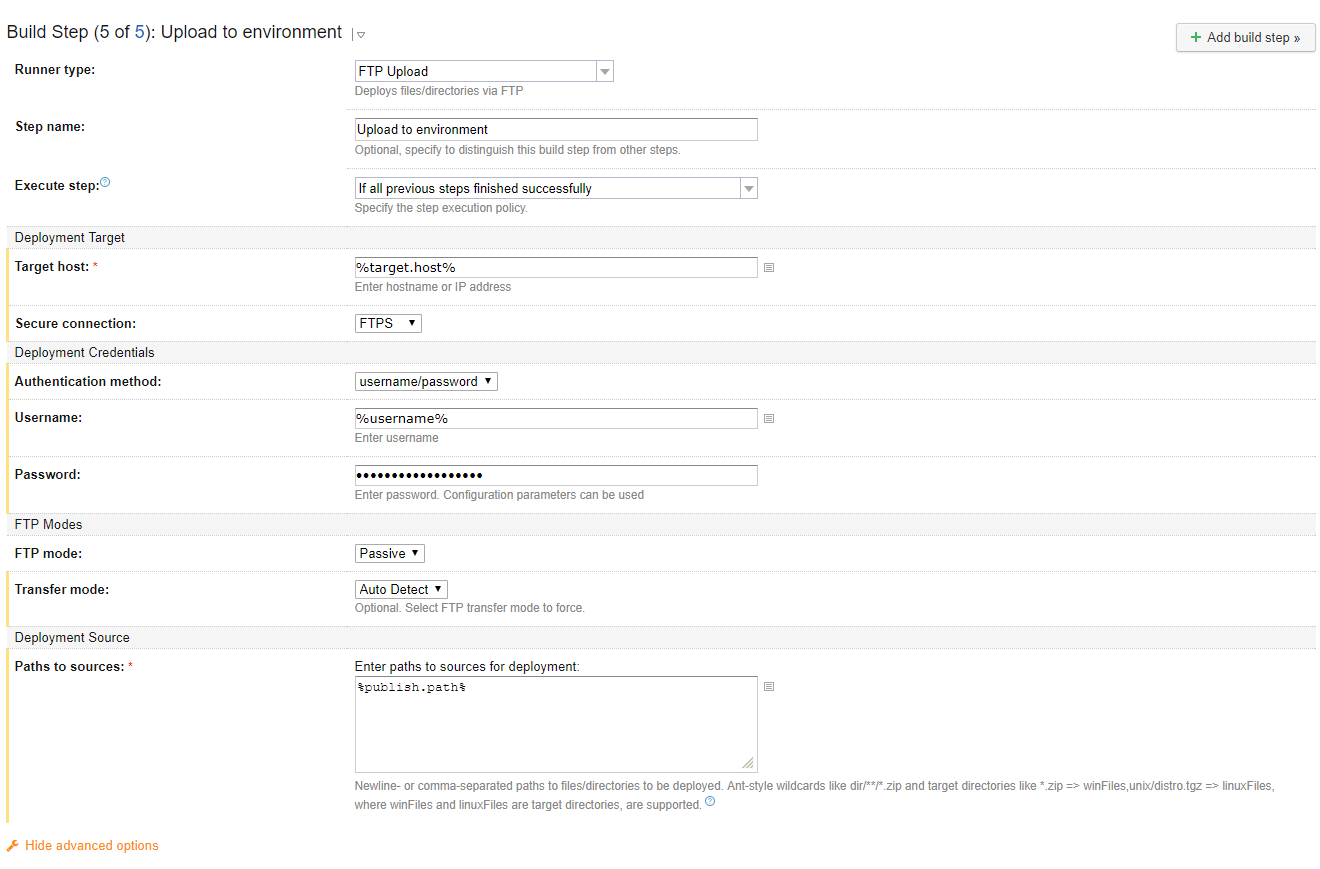
My build step execution:
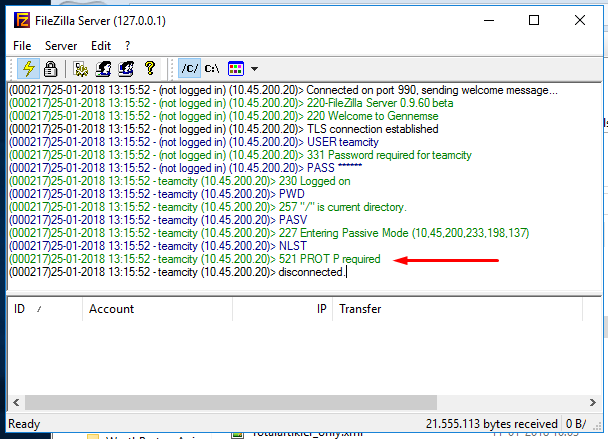
The response I get on the server is the following:
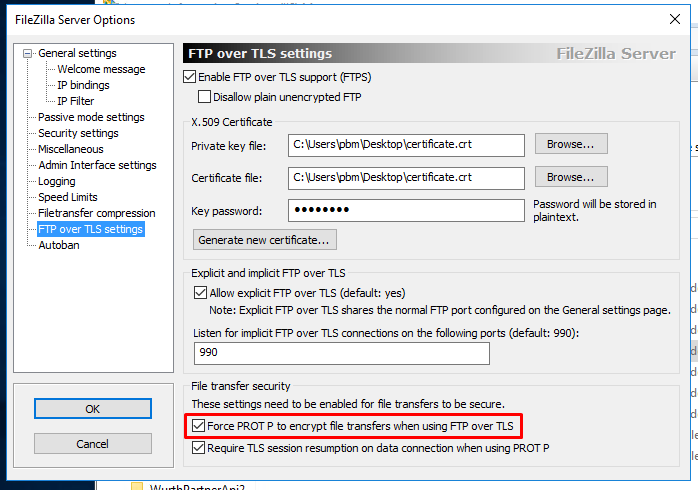
I have tried to turned the required PROT P off on the server and that works, allowing me to to transfer the files. However this is not an option once we move to production so PROT P must be forced!
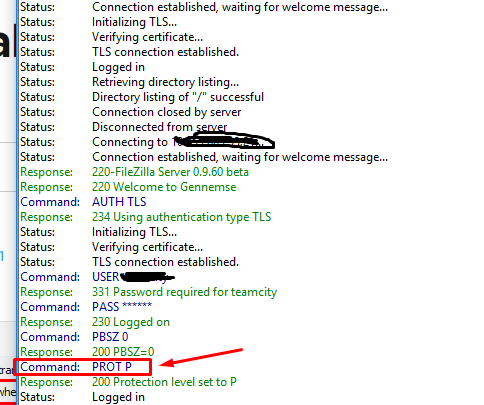
I have also tried to connect to the FTPS Servcer from my local machine using FileZilla Client. This works fine as it sends the PROT P command:
I have tried to google the problem and found the following: https://stackoverflow.com/questions/22615019/ftps-implicit-tls-ssl-error
Here it is stated that the command 'set ftp:ssl-protect-data true' should fix the issue.
My question is: How to I set this command using TeamCity's 'FTP Upload' build step?
If this command cannot be set, then the option to use FTPS is really that useful in my opinion
Please sign in to leave a comment.
Hi,
thanks a lot for your deep investigation. We've checked it and at the moment, teamcity's deployer doesn't support this feature. Could you please open a request for it in our tracker: https://youtrack.jetbrains.com/issues/TW
That way you can stay informed of its progress.
Hey.
Yeah I can open an issue. I do wonder why this feature was skipped in the implementation. Personally I do not see the big use of FTP over TSL if only the communication is secure, while the files are not.
Anyways I will open an issue and hope that it will be implemented soon :)