Build branch display is different even though triggered off the same branch and trigger?

We are curious why we are seeing different build branch names even though the build is off the same branch and VCS trigger?
%GITBranch% is master
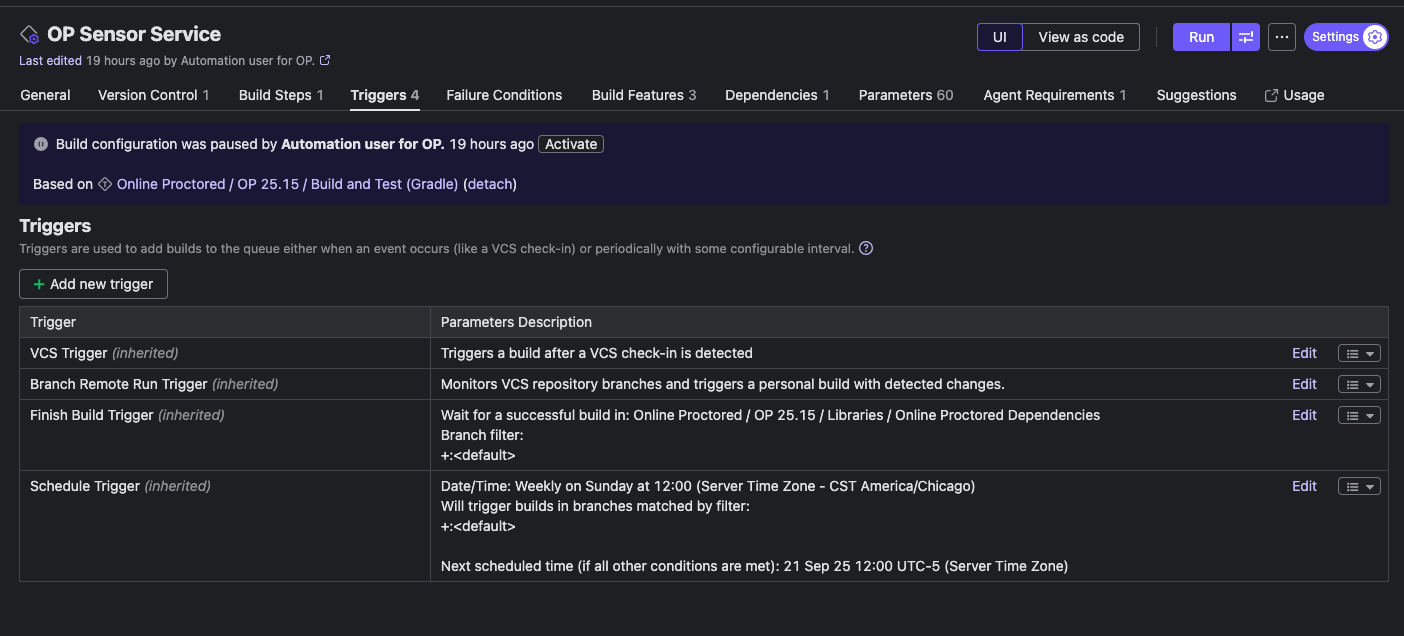
Triggers:
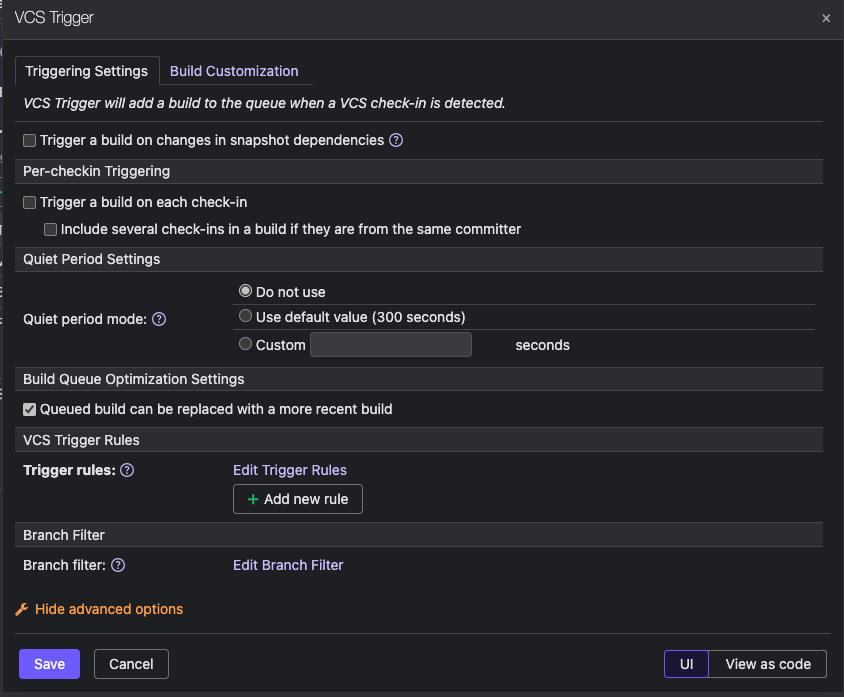
VCS trigger settings:
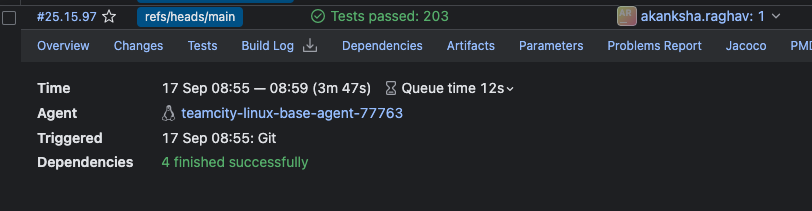
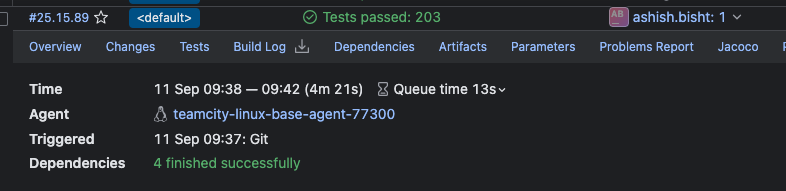
Two builds triggered off the VCS Trigger but different branch displays.
Please sign in to leave a comment.
I should clarify. One states it built off the <default> branch and the other is off the refs/heads/main branch, which are the same.
In order to proceed with further investigation, could you please provide the following information?
1. TeamCity server version
2. VCS Root settings (Screenshot)
- The configured default branch (e.g. refs/heads/master or refs/heads/main)
- Any branch specification patterns (e.g. +:refs/heads/*)
3. Whether there are multiple VCS roots configured with different default branch names
4. Build logs of the two builds that were triggered by the VCS trigger
5. teamcity-triggers.log file that covers the time when these two builds were triggered
6. Git repository information
- What is the actual default branch on the remote repository (e.g. on GitHub or Bitbucket)?
- Are both main and master branches still present in the repository?
Files can be uploaded via https://uploads.jetbrains.com/. Please let us know the exact id after the upload.
1. 2025.07.1
2. %GITBranch% is main
3. No
4. uploading
5. uploading
6. Main is the default branch. There is no master branch.
Upload id - Upload id: 2025_09_19_45BT7EVuQ2Kd9rrNNtJStX (files: Services_OP_Sensor_Service_25.15.89.log, Services_OP_Sensor_Service_25.15.97.log)
The teamcity-triggers.log has aged off and no longer available.
From the build logs, it appears that your build configuration is linked to 5 VCS roots.
In your original post, the value of %GITBranch% was master,
while in your latest update you mentioned %GITBranch% as main.
This discrepancy is a bit confusing.I am a bit confused now.
It seems that your issue is related to TW-75349 (https://youtrack.jetbrains.com/issue/TW-75349) Show default branch names instead of in branch list.
My apologies. The default branch is “main”.
The 4 of the 5 VCS roots are coming from dependencies.
Hi,
Could you please also share a screenshot of build 25.15.97’s dependency? From the build log, I wasn’t able to identify the reason.
Could you also confirm whether the issue can be reproduced on TeamCity 2025.07.2?
When I tested on this version, it displayed Default branch (main).
If you can still reproduce the issue, please share the teamcity-trigger.log and, if possible, the exact reproduction steps.
Files can be uploaded via https://uploads.jetbrains.com/. Please let us know the exact id after the upload.