TeamCity keeps checking out main branch code instead of feture branch

Hi all,
I'm using teamcity to set up a custom build that will checkout the source code from preview/13* and versions/13*.
This is my configuration:
Default branch: refs/heads/main
Branch specification:
	+:refs/heads/(preview/13*)
Branch Filter:
	+:preview/*
When I manually trigger the build as the below screenshot:
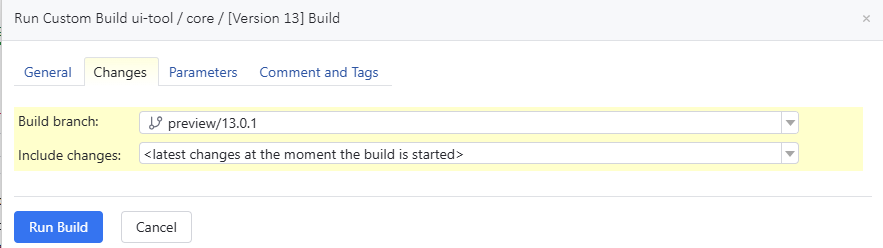
Then I got this issue:

Seems that it still checks out the Default branch because in the Preview branch, I have moved my Dockerfile into apps/web/Dockerfile.
Thanks,
Please sign in to leave a comment.
From the error information, we are unable to see the branch details.
Could you please provide the following information to help us with further investigation?
- The build-agent.log and the teamcity-build.log files (https://www.jetbrains.com/help/teamcity/viewing-build-agent-logs.html#Log+Files)
- VCS Root Configuration — details of your repository settings
- Build Configuration Settings — including any checkout rules
You can upload the files via https://uploads.jetbrains.com/. Please share the exact upload ID with us once done.
Best Regards,
Tom