May be a probleme with Test

Hello,
My environement:
VS2010 beta 2
Nunit 2.5.3
TeamCity 5.0.1
Windows 7
My probleme:
Build faild if i requier NUnit test.
More Detail:
I have a solution with 3 project : 1 DLL, 1 WinForm, 1 TestProjet (a class project with test)
On VS2010, compilation is ok,
Test with NUnit GUI is ok.
On TeamCity without Test requirement, Build is success
On TeamCity with Test requirement, Build is Failure
Important message on Failure log is:
[10:27:10]: [Project "SharedLibraries.sln.teamcity.patch.tcprojx" (Build_TeamCity_generated_782dc26268784b8c866dab917aadff60;NUnit_TeamCity_generated_782dc26268784b8c866dab917aadff60 target(s)):] C:\Users\yannick.lapierre\Desktop\TeamCity\buildAgent\work\8c601bfaca9ee251\trunk\SharedLibraries\SharedLibraries.sln.teamcity.patch.tcprojx(10, 5): C:\Users\yannick.lapierre\Desktop\TeamCity\buildAgent\plugins\dotnetPlugin\bin\JetBrains.BuildServer.NUnitLauncher.exe "@@" C:\Users\yannick.lapierre\Desktop\TeamCity\buildAgent\temp\buildTmp\tmp63D2.tmp exited with code -2146232576.
but if i execute on CMD the NunitLuncher test
C:\Users\yannick.lapierre\Desktop\TeamCity\buildAgent\plugins\dotnetPlugin\bin\JetBrains.BuildServer.NUnitLauncher.exe "@@" C:\Users\yannick.lapierre\Desktop\TeamCity\buildAgent\temp\buildTmp\tmp63D2.tmp
it work.
Some Idea?
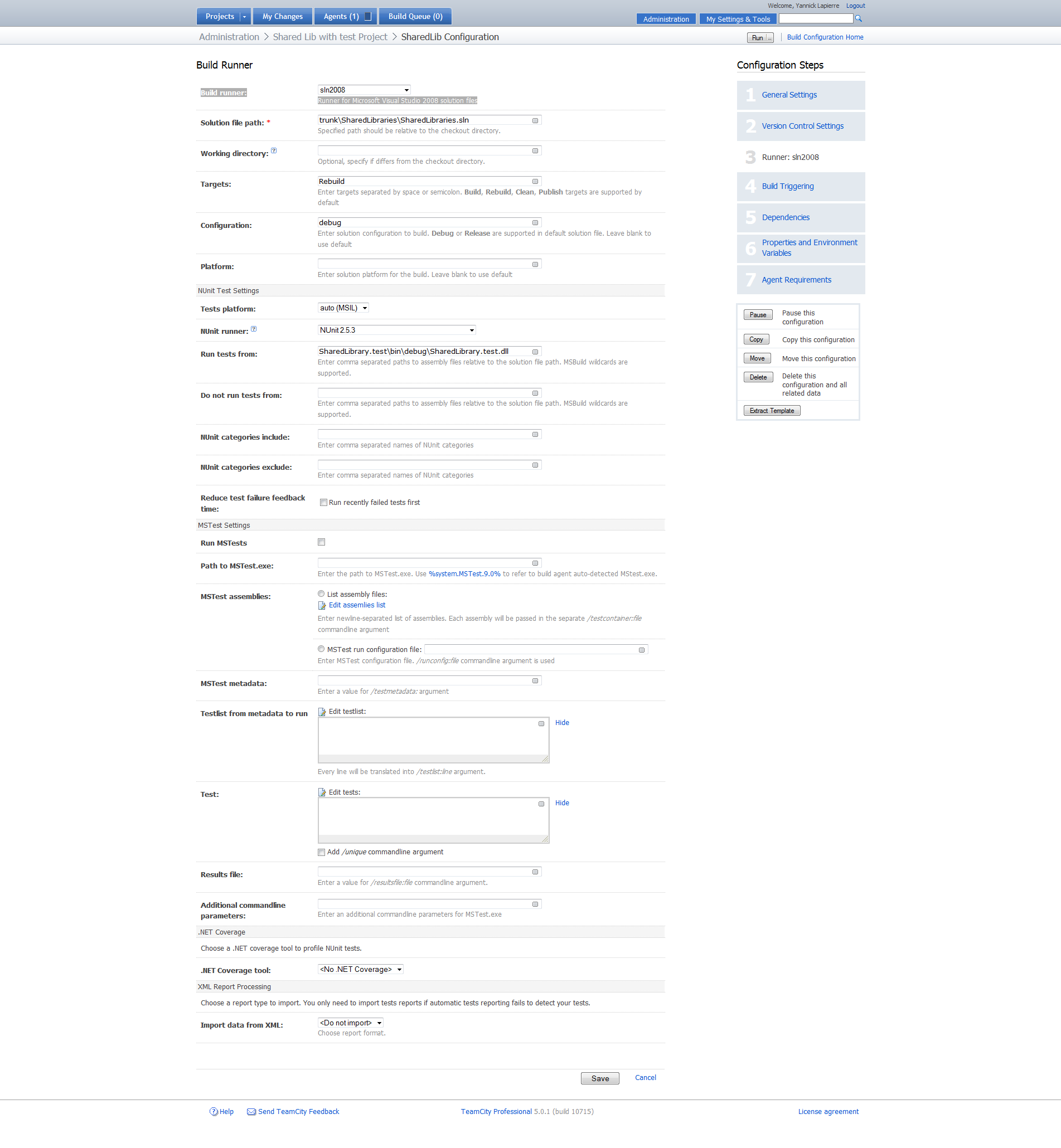
See in attachement the log of 2 build, and screan shot of Test Config
Attachment(s):
Runner Setting.png
Failure Log.txt.zip
Success Log.txt.zip
Please sign in to leave a comment.
TeamCity does not support VS2010 yet. The issue was caused by .NET 4.0 assembly that could not be loaded to .NET 2.0 process.
As workaround, please try running TeamCity NUnit launcher from commandline.
Please see the documentation at
http://www.jetbrains.net/confluence/display/TCD5/TeamCity+NUnit+Test+Launcher
To run test under .NET 4.0 you need to specify:
${teamcity.dotnet.nunitlauncher} v4.0 MSIL NUnit-2.5.3

If this will not work, try patching:
JetBrains.TeamCity.PlatformProcessRunner.v4.0.x86.exe.config
JetBrains.TeamCity.PlatformProcessRunner.v4.0.x64.exe.config
in <server>/update/plugins/dotNetPlugin.zip/!/bin to contain right .NET 4.0 build number.
Please wote for:
http://youtrack.jetbrains.net/issue/TW-8601
This issue will be resolved when .NET 4.0 support will be added.
Hello,
Tried 2 options, but same way.
may be wait support for vs2010. Do you know how long should i waiting?
thanks.
EDIT :
That Work :-)
Added the Environnement variable, and change the Config file.
We plan to release .NET 4.0 support for 5.1. Probably it will be avaiable in one of 5.1 EAP builds. Stay tuned!