VMWare TeamCity agent does not show any Agent Parameters

Hi
I can add successfully VMWare TeamCity Agents on our TeamCity 7.0.3.
If I go to the Cloud Agents tab, the Agent Parameters are empty (no System Properties | Environment Variables | Configuration Parameters), also the Agent summary tab is empty:
- Operating system:
- CPU rank: unknown
With this setting, it says that it cannot run any build configurations.
We run in a .NET environment, .NET 4.0 client profile is installed on the VMWare TeamCity agent.
What am I missing?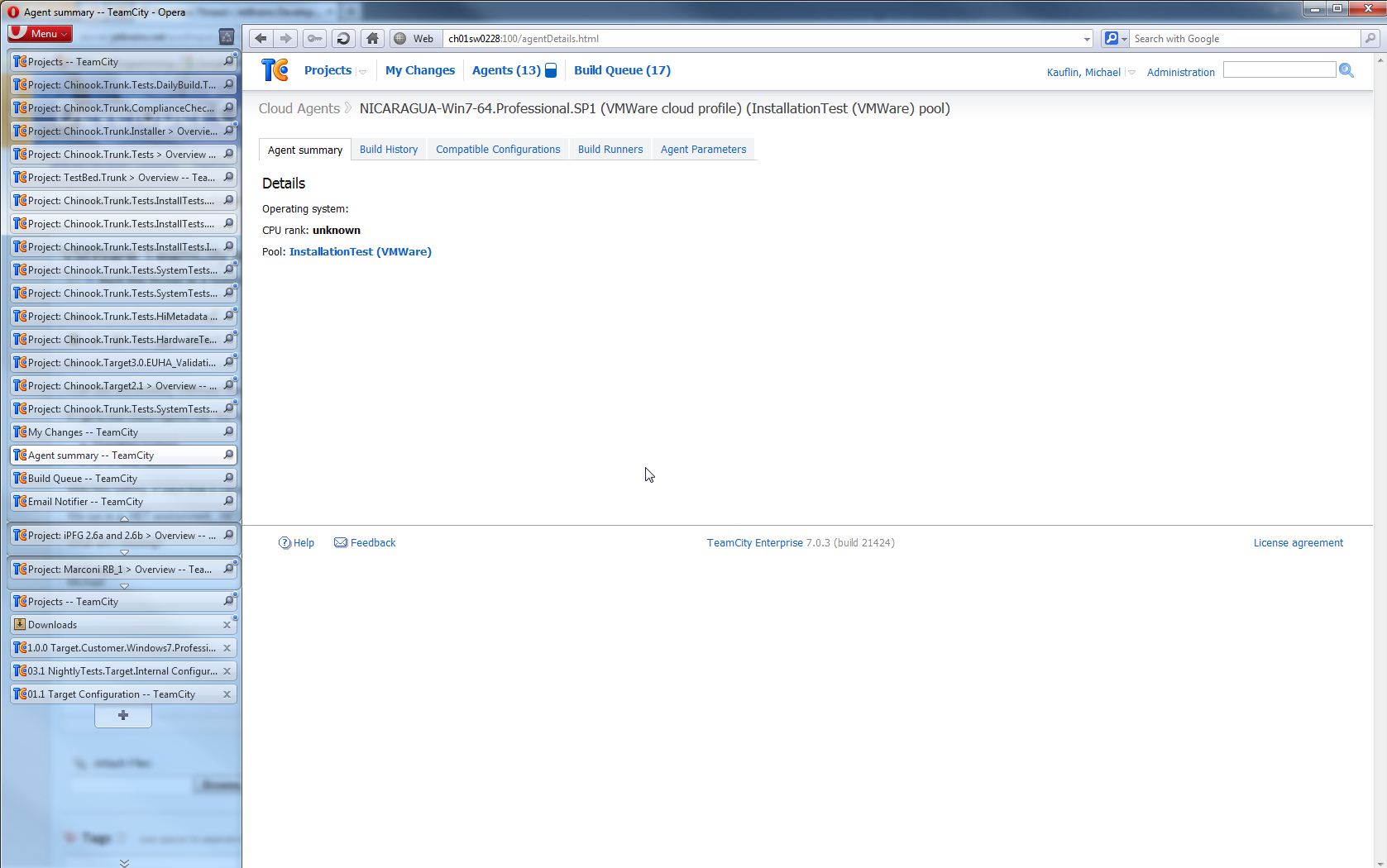

Kind regards
Michael
Please sign in to leave a comment.
Michael,
Sorry for the delay in replying.
No agent data is an indication of no successful starts of the agent.
Once a cloud profile is configured, TeamCity does a test start of the image to learn about it's settings. Seems this test start encountered an error in your case.
What is displayed on the Cloud tab under Agents? Are there any errors?
If you try to start an image manually on the Cloud tab, does it start?
Is there any related data in the teamcity-cloud.log ?
Hi Yegor
I found the solutions for the problem:
1. no blanks in the path to the VMWare image file.
2. user name and password have to be set on the OS in the VMWare.
3. Allow access for Java in the firewall when running the agent.bat start
Regards
Michael