Issue after TC8 upgrade - agents won't start up

hey folks,
we have 'successfully' ugpraded to TC8 and the upgrade seems to have gone well - our web interface is back up and running with no problems at all.
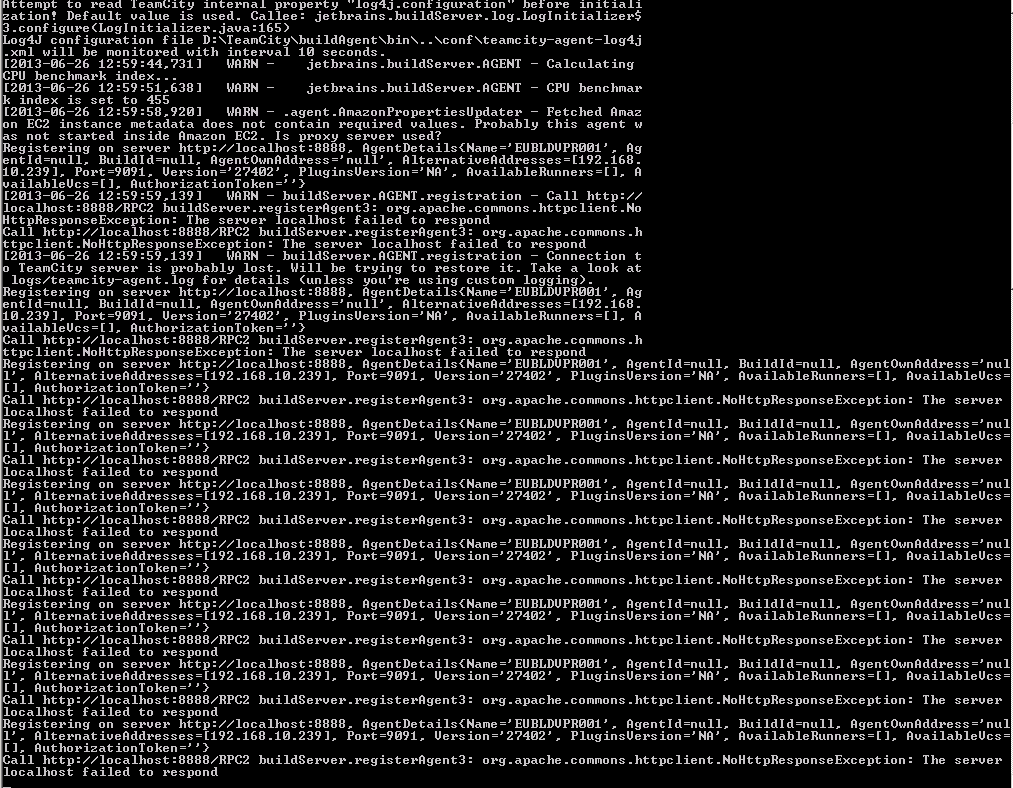
Unfortunately, when attempting to start up any of the 4 agents we have, we get the message in the attached screenshot.
I've attached the teamcity-agent log file too.
The server is running on port 8888 so I can only assume we've misconfigured something as part of the upgrade process.
Any help would be gratefully appreciated. It's an enterprise license we have purchased, so I wasn't sure if I was supposed to post here or raise a support ticket, but thought I'd best do something!
If any more information/config/documentation is needed, please let me know.
Cheers,
Terry
Attachment(s):
teamcity-agent.log.zip
Capture.PNG
Please sign in to leave a comment.
Update to this (after a work colleague read the question)
When RDP'd into the build server, I can access localhost:8888 no problem in a browser (I get an empty HTML document if I access /RPC2)
I've upgraded 2 of the build agents (well, re-installed over the top of 2 of them), though that didn't seem to make any difference either.
and fixed (in case anyone reads this) by changing the configuration from the previously working http://localhost:8888/ to http://eubldvpr001:8888/
it's worked perfectly on localhost:8888 in the config files for the agents all the way up till upgrading to TC8, but at least the above fixed it.
Cheers,
Terry
Could you please send us teamcity-server.log file.
Interesting... Thank you for sharing the solution.