How do I clear the "Failed to start build..." error on the Projects Overview page in Team City 7.1.3

We are using branches in TC 7.1.3 (build 24266) and with all current active branches showing successful builds, there is still a big red error box on the top of a project that shows an error on an older build. The error is pretty much always a snapshot dependency failure and is sometimes from branches that no longer exist and in some cases from months ago before we switched to using branches. How do I clear these old statuses and make these go away?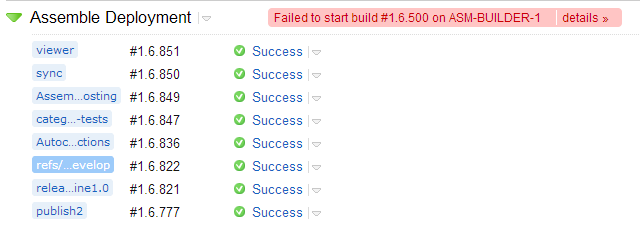
Please sign in to leave a comment.
Anyone, Anyone?
Should I just report this to support?
Thanks! Restarting the server cleared them all out.
As an alternative to restarting the server, which is pretty hardcore, you can delete (e.g. "remove") the failed builds.