TeamCity stopped showing tests coverage from Xcode Project build step

It used to work and it stopped.
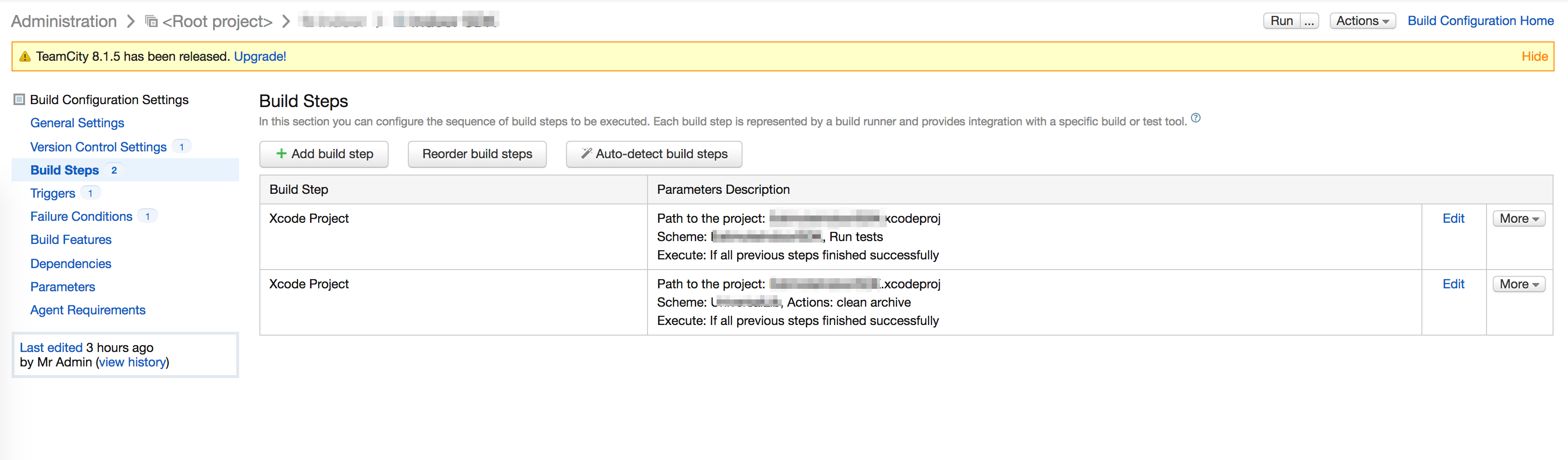
My build configuration consists of two Xcode build project steps which one of those run steps (see screenshot). If I disable the one which does not run tests, tests are not reported (see second screenshot). They are run though and I can see them in the build logs.
When test's tab is visible? How to trigger it?
Attachment(s):
2.png

1.png
Please sign in to leave a comment.
Hi Wiktor,
Which TeamCity and Xcode versions do you use? You've probably faced with this issue - https://youtrack.jetbrains.com/issue/TW-38505. Please try new version of plugin attached to the issue.
Plugin installation instructions: http://confluence.jetbrains.com/display/TCD8/Installing+Additional+Plugins
TeamCity 8.1.4 and Xcode 6.1 so that was the problem. Probably Xcode chagned structure of tests output and parser failed to understand the output.
Neverthelss new Xcode plugin brings back tests tab. From what is written in the bug entry, updated Xcode plugin will be available with TeamCity 8.1.6.
Thanks.
Hi Alina,
If I install the updated Xcode plugin on my current instance of TeamCity will I need to uninstall it prior to update to 8.1.6?
Thanks
Hi Felipe,
Yes, it is recommended to uninstall manually installed plugin and use the plugin bundled with new TeamCity version.