JUnit XML: seeing system-out of passing tests more directly

Hi,
I use the XML Report Processing Build Feature to import Ant JUnit reports.
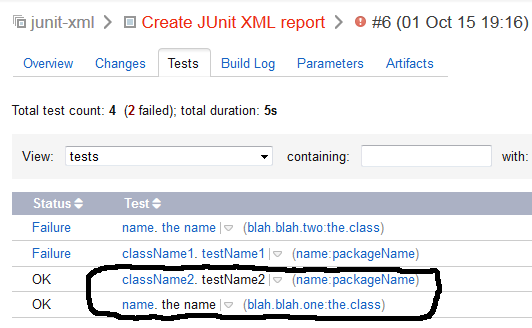
In the Test tab, when I click on the links of the passing tests, nothing is shown (circled links on the attached picture). I have to go to the Build Log top see them. But I have thousands of tests, and printing all of the JUnit XML in the Build Log is not practical for me (too big). So I need a more direct link to the system-out and system-err for the passing tests, for example the same way Jenkins does it (it does not hide passing tests JUnit XML system-out/system-err).
Is that possible?
Thanks,
Martin
Attachment(s):
TeamCityJUnitReports.png
Please sign in to leave a comment.
If you click on a link only the scope is changed.
You have to choose "Show in Build Log" from the menu - see attached screenshot.
Attachment(s):
TC_test.jpg
Thank you for for the clarification.
I will have to run a few more test to see if this approach is practical with thousands of tests, and a much larger build log.
I don't understand why viewing the JUnit XML contents would be different between passing and failing tests. I would have expected both to be available the same way, e.g. under the Overview tab (with the failures sorted to the top of course).
Martin