Cannot edit NUnit config

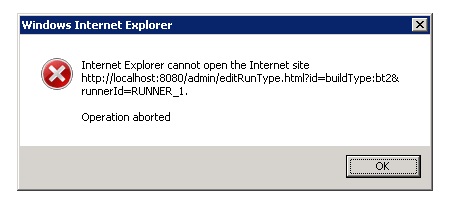
I am having an issue while editing an NUnit build configuration. Each time I click edit I get a popup dialog with the following error (also attached a screenshot):
----
Internet Explorer cannot open the Internet site http://localhost:8080/admin/editRunType.html?id=buildType:bt2&runnerId=RUNNER_1
Operation aborted.
----
In order to change the configuration to add new NUnit tests etc I have to delete the current configuration and then create a new one. However even when saving the configuration I get the same error but the configuration is saved.
Has anyone seen this before or have an idea on what is causing this to fix it?
Thanks for the help,
Craig
Attachment(s):
screen.png
Please sign in to leave a comment.
What version of IE do you use? Have you tried to do the same in other browser?
Using IE7 but haven't tried any other browser yet, will see if I can download one onto the system and try it out.
we can reproduce this problem on our systems
Reproduction scenario :
- version: TeamCity 6.0.1
- it happens both on clean install and our production environment.
- we found in while trying to edit MsBuild step and NUnit Step
- we were able to reproduce it on IE 6, IE 7, IE8
- IE 8 is the only one to show the a descriptive error , "HTML Parsing Error: Unable to modify the parent container element before the child element is closed (KB927917)"
when firing up the debug tools, i can see IE stopped parsing the page right after the following line :
I believe specifying the assumed reason for the bug, how to reproduce it, and a starting point on where it is, is more than enough in order to open an issue.
will check against newer versions (EAP)
Thanks! Please try it in the next EAP. I believe it should be fixed.