TeamCity not creating release folder

When using TeamCity and running a build I get the following error message.
13:20:31]Step 1/1: MSBuild (1s)
[13:20:32][Step 1/1] src\DystopiaOnline.proj.teamcity: Build target: BuildSolution
[13:20:32][src\DystopiaOnline.proj.teamcity] BuildSolution
[13:20:32][BuildSolution] C:\TeamCity\buildAgent\work\8c8eb5050252f271\src\DystopiaOnline.proj(36, 5): error MSB4062: The "DystopiaOnline.Build.Tasks.GetUnixTimestamp" task could not be loaded from the assembly C:\TeamCity\buildAgent\work\8c8eb5050252f271\src\DystopiaOnline.Build.Tasks/bin/Release/DystopiaOnline.Build.Tasks.dll. Could not load file or assembly 'file:///C:\TeamCity\buildAgent\work\8c8eb5050252f271\src\DystopiaOnline.Build.Tasks\bin\Release\DystopiaOnline.Build.Tasks.dll' or one of its dependencies. The system cannot find the file specified. Confirm that the <UsingTask> declaration is correct, that the assembly and all its dependencies are available, and that the task contains a public class that implements Microsoft.Build.Framework.ITask.
[13:20:32][Step 1/1] Step MSBuild failed
However when I run the build from the developer command prompt the build works fine. Taking a look inside the
C:\TeamCity\buildAgent\work\8c8eb5050252f271\src\DystopiaOnline.Build.Tasks\binonly shows a Debug folder rather than a Release folder. Running the build from the developer command prompt works ok just building from Team City doesn't.
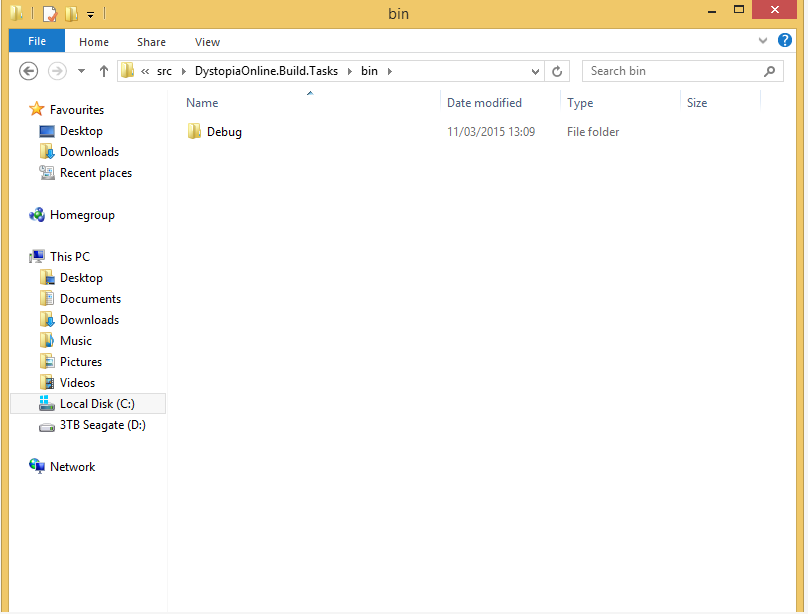
shouldn't the Release folder be created when the build is run from Team City with the Env variable set to prod? what could be causing this? Anyone any ideas?
In my project solution .proj file have the following conditions set to determine a build configuration. can anyone with any experience working with team city offer any advice as to what the problem may be? thanks.
<PropertyGroup>
    <Env Condition="'$(Env)' == ''">dev</Env>
    <VersionNumber Condition="'$(VersionNumber)' == ''">1</VersionNumber>
    <MSBuildCommunityTasksPath>$(MSBuildThisFileDirectory)/Tasks</MSBuildCommunityTasksPath>
    <UnityPath Condition="'$(UnityPath)' == ''">c:\Program Files (x86)\Unity</UnityPath>
  </PropertyGroup>

  <PropertyGroup Condition="'$(Env)' == 'dev'">
    <BuildConfig>Debug</BuildConfig>
    <Domain>mmo.dystopiaOnline.dev</Domain>
    <SetParamsFile>Parameters.Local.config</SetParamsFile>
  </PropertyGroup>

  <PropertyGroup Condition="'$(Env)' == 'prod'">
    <BuildConfig>Release</BuildConfig>
    <Domain>mmo.DystopiaOnline.com</Domain>
    <SetParamsFile>Parameters.Production.config</SetParamsFile>
  </PropertyGroup>

  <PropertyGroup Condition="'$(Env)' == 'sta'">
    <BuildConfig>Release</BuildConfig>
    <Domain>mmo.DystopiaOnline.sta</Domain>
    <SetParamsFile>Parameters.Staging.config</SetParamsFile>
  </PropertyGroup>
Please sign in to leave a comment.
Hi John,
How did you set "Env" variable to "prod"? Please check that the correct variable value is passed to MSbuild runner.
Hi Alina,
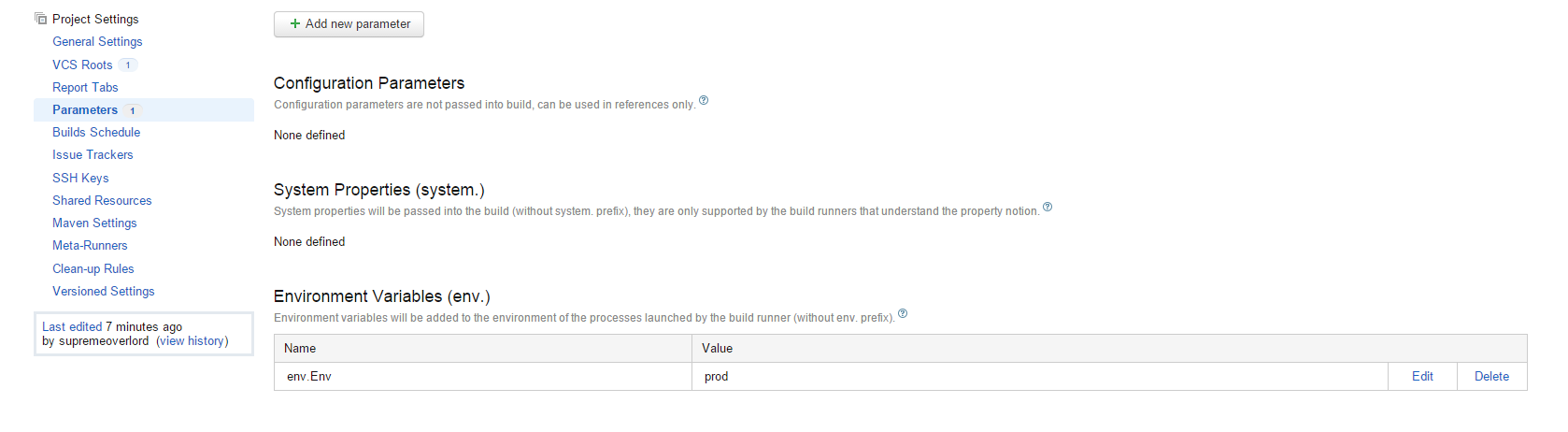
Thank you for taking the time to help me on this as I am stil working on trying to fix this.
The enviroment variable is set within TeamCitys parameters tab. where I set the enviroment variable to prod.
at first I thought that I may have not set this correctly but I've check and double checked, yet theis problem still eludes me.
Hi John,
I investigated the DystopiaOnline.proj that you attached to the stackoveflow. There is a typo in the word "Configuraton":