Trouble getting Teamcity to show code coverage

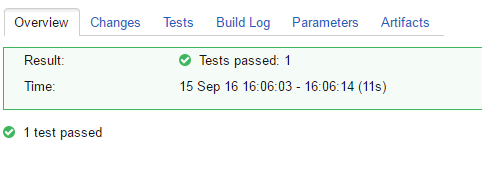
I am trying to run a very simple test code on a local teamcity server to get the gist of how teamcity dotcover and nunit interact (I am new to all of these). I'm using dotCover to try to show the code coverage of a unit test, but the overview page fails to display it, and there is no additional code coverage tab. If any additional information is needed (which it probably is), please tell me what (and preferably how) to provide.
Build Step Settings : https://i.gyazo.com/d242b3915613339ce139b2bfe52cf0c5.png
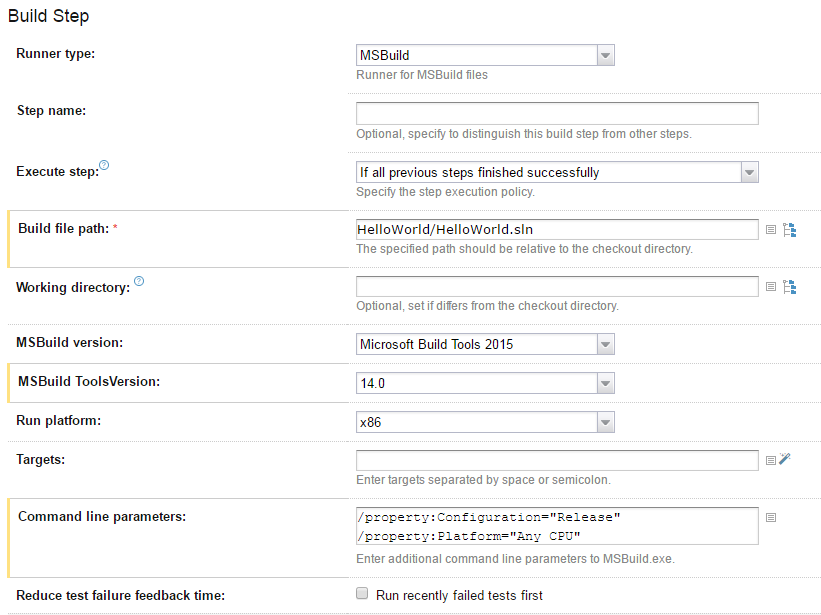
.Net Build Settings : https://i.gyazo.com/4c4302fdcc0d95b45e35a1f94b021f49.png

Overview : https://i.gyazo.com/9d6d1dcf05e58cd2c0d3fc9088117687.png
Teamcity : 10.0.1 build 42078 (Professional)
MSBuild : 14.0
NUnit : 3.0.1
Please sign in to leave a comment.
Hello Loic,
Could you please try to specify the following filter:
+:*Tests
Does it work? If it does not help, then please attach full build log. You can download it on the Build log tab on the right top corner.
Hi Alina,
Here's a link to the log, https://www.dropbox.com/s/pg1tgpd036aaw7g/Test_TestBuild_38.log?dl=0
As to whether or not *tests.dll works, I'm not quite sure. I was looking around yesterday trying to figure out what to filter, and saw someone post that it should.