You may upgrade to the latest version directly - TeamCity will automatically apply the delta between versions. You may also find this article on upgrading TeamCity helpful: https://www.jetbrains.com/help/teamcity/upgrading-teamcity-server-and-agents.html; in particular, screenshot suggests that one of the licenses in use will go inactive after upgrading to 2023.05.1 - please consider whether you would like to renew it prior to upgrade.
We already have licenses for 2023. We will apply them after upgrade then or Even before upgrade should we apply licenses ? Is there any documentation how we can apply license in the teamcity ?

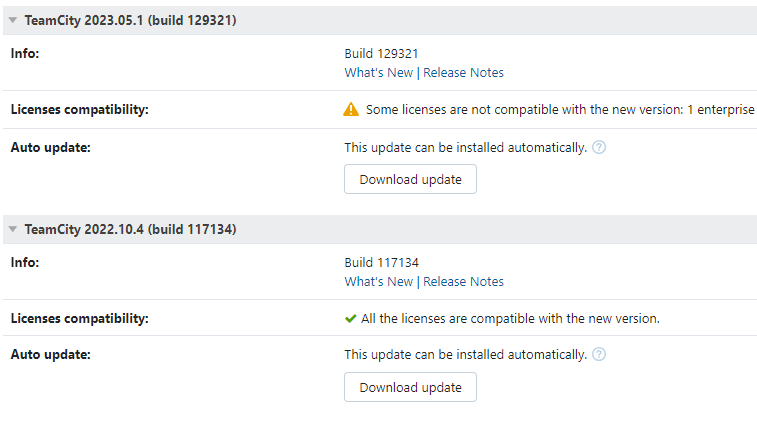
You may upgrade to the latest version directly - TeamCity will automatically apply the delta between versions. You may also find this article on upgrading TeamCity helpful: https://www.jetbrains.com/help/teamcity/upgrading-teamcity-server-and-agents.html; in particular, screenshot suggests that one of the licenses in use will go inactive after upgrading to 2023.05.1 - please consider whether you would like to renew it prior to upgrade.
We already have licenses for 2023. We will apply them after upgrade then or Even before upgrade should we apply licenses ?
Is there any documentation how we can apply license in the teamcity ?
Sure, it is available here: https://www.jetbrains.com/help/teamcity/licensing-policy.html#Managing+Licenses. Long story short, you need to add the new keys via Administration | Licenses tab.
You may also add the license keys prior to upgrade and remove the older ones - this will work just fine too.
It worked