Operating system error 32 when attaching database file

We ran into this issue while trying to run Selenium WebDriver tests in TeamCity. The process should go like this - our test application creates a new database using LocalDb and seeds some data into it, then it starts up an IISExpress server, in which it hosts our ASP.NET application which uses the same database we just created. We then use Selenium to do some UI testing through a WebDriver, then shut down the IIS server and wipe and delete the database.
This works fine on my machine, but when we try to do the same with TeamCity, this is what the test browser sees when trying to reach any page on the server
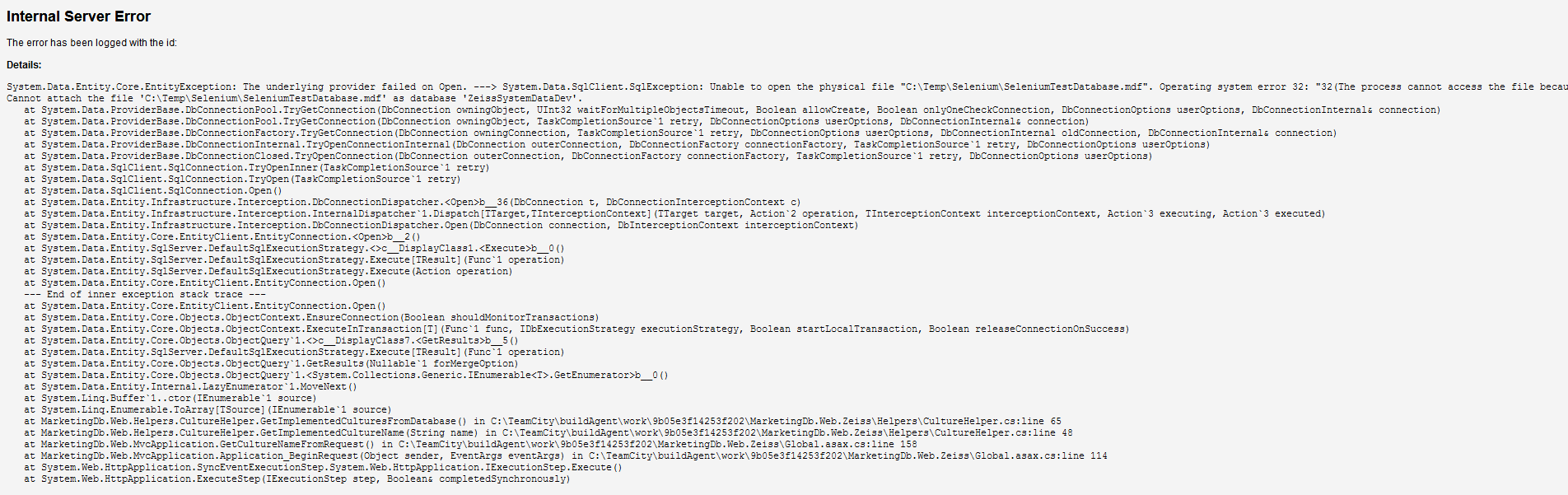
I'm guessing the web application tries and fails to attach the database file, which was already attached by the testing application, but was never a problem when working locally. Is there any way around this, other than using a remote sqlserver instead of LocalDb?
Please sign in to leave a comment.
Hi Filip,
What is the reason why the process fails to open the file? (it is not visible in the screenshot)
I'd try to place database file somewhere under build agent's %system.agent.work.dir%, %system.teamcity.build.tempDir% or %system.teamcity.build.checkoutDir%.
The message should be "The process cannot access the file because it is being used by another process."
It might be that your workstation is faster or you have more permissions than build agent process and that is why your test works fine locally and fails on the agent. If log into build agent and execute your tests there will they work? Have you checked that temporary database file was successfully cleaned after previous build?
The files are deleted and recreated on each run, so that can't be it. I tried creating the .mdf files in all those folders and I also tried making them globally accessible like this:
var fInfo = new FileInfo(dbFilePath);
var fSecurity = fInfo.GetAccessControl();
fSecurity.AddAccessRule(new FileSystemAccessRule(new SecurityIdentifier(WellKnownSidType.WorldSid, null),
FileSystemRights.FullControl, InheritanceFlags.None, PropagationFlags.None, AccessControlType.Allow));
fInfo.SetAccessControl(fSecurity);
I still get the same exception.