Stopping and re-adding dependent build
Answered

I have a snapshot dependency setup as A->B, A->C, A->D
TeamCity queues up the builds B, C, D and A
If I try to stop the currently running build C, it does not give an option to re-add to the queue. Is there any way we can stop the build and re-add to the queue other than submitting the build again? This might be required for eg that the agent running build C has some issues and need to be looked into, where as the agents running builds B and D are absolutely fine?
Please sign in to leave a comment.
Hello,
On Build Chains page you can expand the corresponding chain and click "run build with the same revisions..." button of stopped Build C:

I do not seem to find the option to collapse the corresponding chain, and run the build with the same revisions.
Attached is the screen-shot where in the highlighted build was stopped, but I am not able to see the option to run the build with the same revisions.
Can you please help me find this option?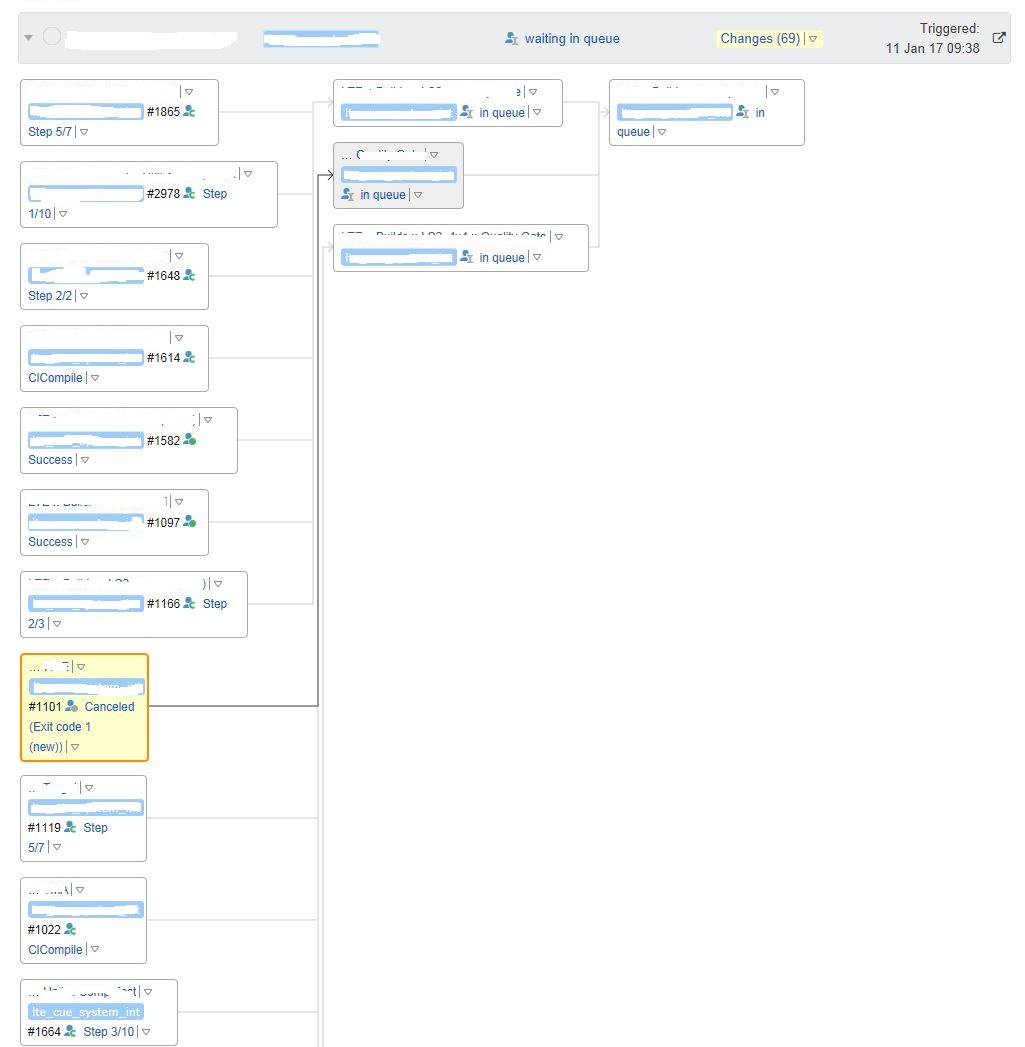
Sorry, I meant 'expand' instead of 'collapse' in my previous message :)
I see, you run builds as personal and "run build with the same revisions" is not enabled when builds are personal. You may want to create a feature request in our tracker or choose to vote for this quite closely related one.