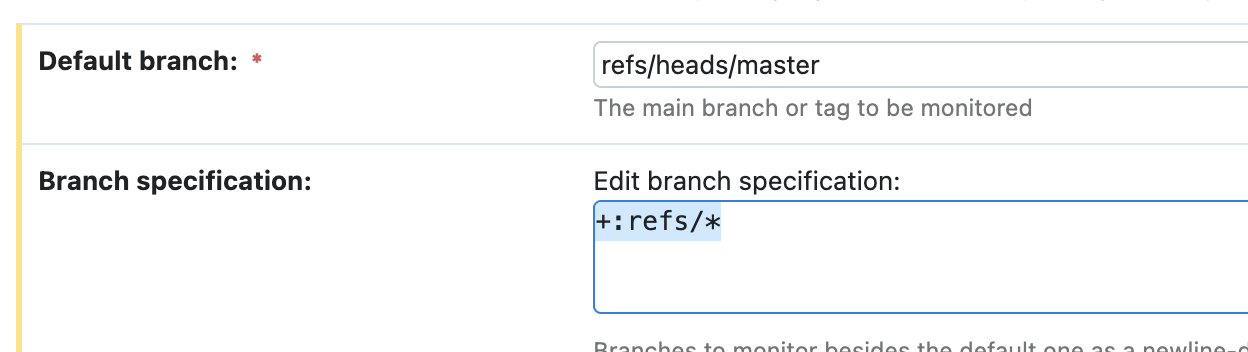
TeamCity VCS trigger triggers redundant builds

The trigger does not work correctly, in tc, changes in module 1, initiates a trigger in module 2 (and others, it is not clear by what logic).
Repository structure is flat
- module_1
- module_2
- module_3 and so on
Each module has its own trigger
-:.
+:module_name/**
-:module_name/app/**
-:module_name/props.properties
I expect the trigger to exclude all files in the repository and only include +:module_name/**
And in case there are changes in module_2, module_3 should not be triggered.
But for some reason, changes in one module cause an build in other modules.
in the Changes tab of module 1, changes affect only other modules
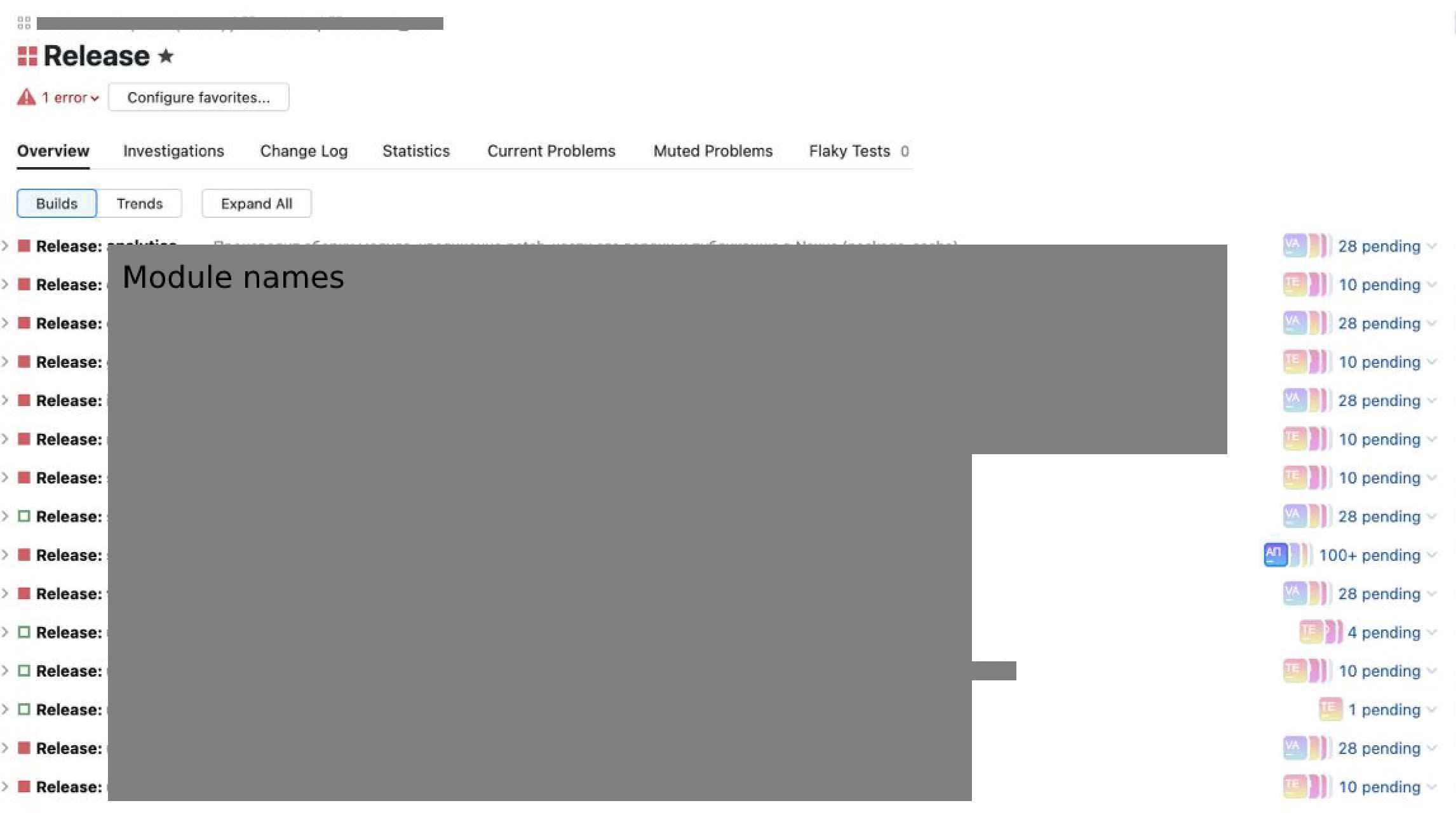
1 repository 1 project, for each module separate Build configuration and own trigger
TeamCity Enterprise 2022.10.1 (build 116934)
Please sign in to leave a comment.
1. You push some changes in module_1.
2. You push some changes in module_2 and expect a build triggered for configuration_2.
3. TeamCity detects changes in both directories of your repo: module_1 and module_2. Those changes will make the triggers fire both in configuration_1 and configuration_2. That behavior would be completely normal.
If to look at the list of changes, it usually starts with changes in the file containing the module version **/module_1/props.properties**. Other changes are not related to this module.
Interesting:
This configuration consists of several steps, one of which is increasing the version of the module by changing its version in the file (/module_1/props.properties) and then pushing to the git repository.
Important, /module_1/props.properties is excluded from the trigger (so that the build does not run on its change)
Case: props file edited 23 Nov, build triggers 28 with no any related changes
This is normal. The build is triggered when there is at least one change matching the trigger rules.
>Other changes are not related to this module.
This is also normal due to the reason above. If this is a problem, could you explain why?
If you want the trigger to start the builds on a per-commit basis, you can edit the trigger settings accordingly.
If you don't want the build to check out the files related to other modules, you can exclude the irrelevant directories using the Checkout Rules: https://www.jetbrains.com/help/teamcity/vcs-checkout-rules.html
> This is normal. The build is triggered when there is at least one change matching the trigger rules.
The trigger excludes this file **/module_1/props.properties**.
Another thing to check: Was the chain in file `module_1/props.properties` the only change included in the build? If not, then another change could have triggered the build. If it was the only change, I could take a deeper look into it if you provide this data:
1. teamcity-strigger.log* files covering the time of the triggering.
2. teamcity-server.log* files covering the same time.
3. Full build log (go to the Build Log page > Download log > select Full build log or Zip) of the affected build.
4. A screenshot from the Changes tab of the affected build results page with the 'Show files' checkbox ticked.
5. A screenshot of all trigger settings in the affected build configuration.
Feel free to use this service to the files privately: https://uploads.jetbrains.com/
Logs Upload id: 2023_02_28_sUGZ6sViu9VeceurfN1z9C
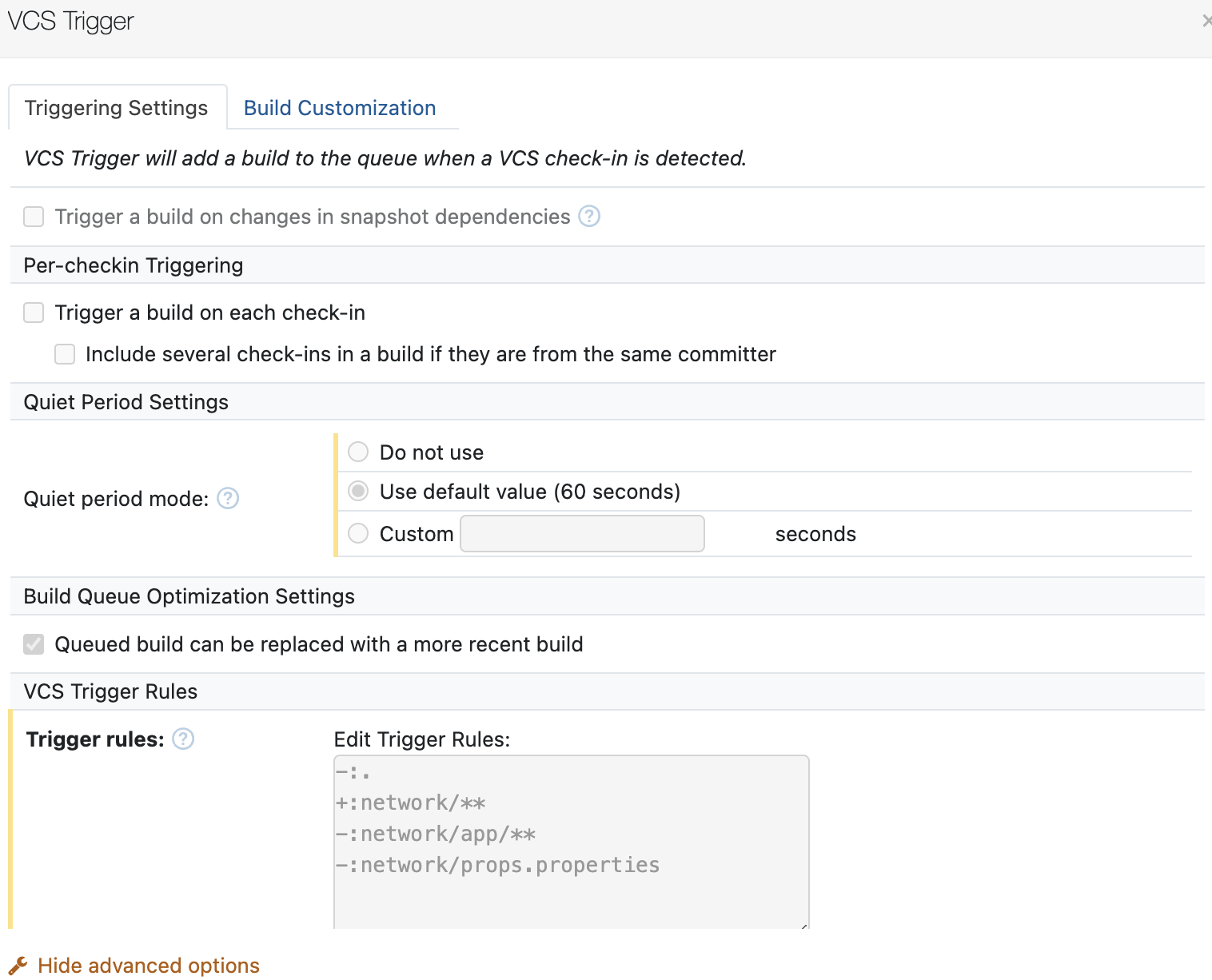
Screenshots Upload id: 2023_02_28_pZCgwFbnescXadybpFtLAE
Excuse me but in our company logs are represented as json not files and stored in different systems. What can i do to help you?
Im solved this problem with rebase.
How to reproduce?
1) Create repo with 3 modules
Create 3 tc config (one for each module), with own trigger for each module. (example of trigger for app module).
We want it to trigger only when there is a change in the X module
Same config for module_1 and 2 with own trigger
Then, go to master branch and create feature branch.
Next return to master and add some code in module_1 and app. Commit, push, wait for triggering 2 configs (Release: app and Release:module_1)
Result: feature branch has no changes from master.
Then merge master to feature branch, commit and push. And u see that all configs triggered.
If u change merge to rebase all work ok.
Vsc root config. Branch Filter: +:*