Build Running Icons not Spinning...

Since upgrading to the latest version of TeamCity, the icons that indicate running builds, loading logs, etc no longer spin, this might sound pretty minor, but I keep thinking my browser has frozen!
Examples:
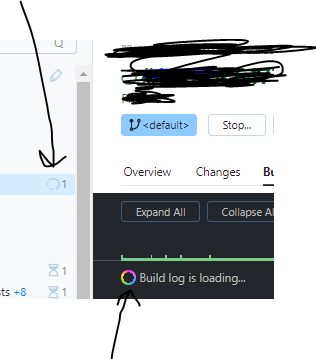
Is anyone else experiencing this?
Thanks
Please sign in to leave a comment.
Looks like the latest release brought support of "prefers-reduced-motion" CSS media feature (in scope of https://youtrack.jetbrains.com/issue/TW-75902/Consider-adding-support-for-no-motion-queries). Essentially, if your browser settings (or OS settings) show that you would like to reduce the number of animations in the UI, a site may be made aware of that and control own content accordingly.
This page on Mozilla documentation portal (https://developer.mozilla.org/en-US/docs/Web/CSS/@media/prefers-reduced-motion) shows several common sources where this feature could be configured. Could you please check if any of the listed settings apply in your case, and if disabling them solves the issue?
Best regards,
Fedor