How to using agent with maven?

I created Team City Server and Team City agent by docker.
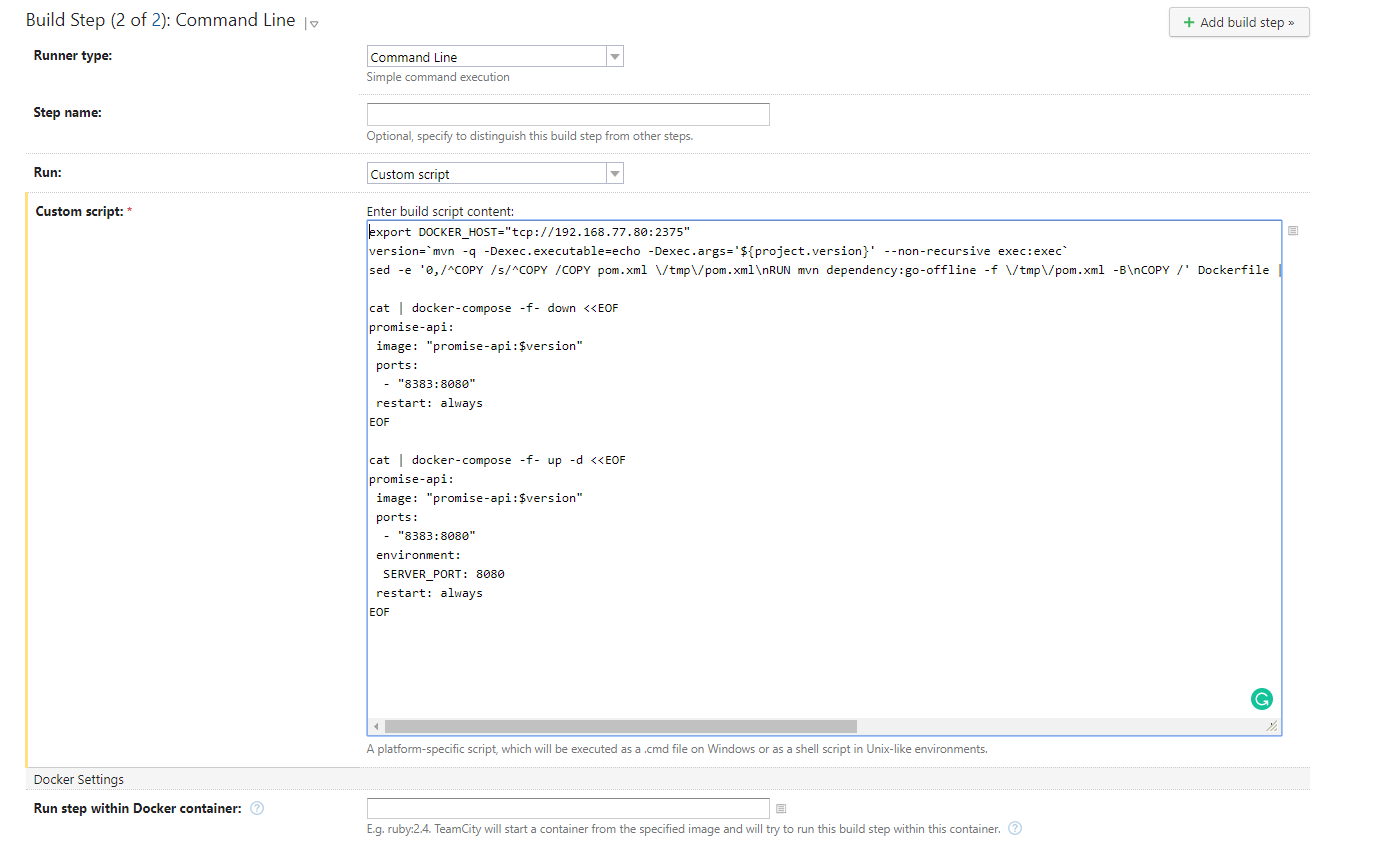
I build config for the project with 2 steps.
Step 1 is maven clean.
Step 2 is a custom script. You can follow the image below.
But when I run build project, I meet error is mvn not found in step 2. Can you help me fix error?
Thank you very much!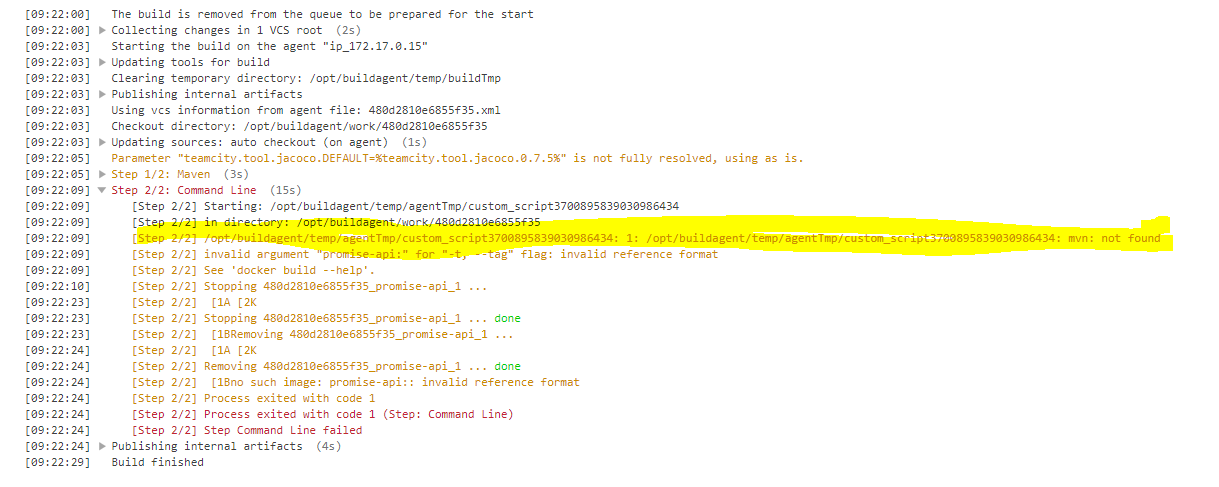
Please sign in to leave a comment.
Hi,
when the teamcity agent tries to run a build, in particular custom scripts, it will run the commands under the user that the build agent is running on. TeamCity includes its own copies of maven, so when you use the maven build, it knows when to find them, but when you use custom scripts, teamcity needs to rely on the operating system to tell it where maven is. For that, the "mvn" executable should be on the PATH of the user running the agent, or you should provide the full path to the executable.
Please, add mvn to the PATH of the user, and make sure you restart the agent afterwards (depending on how you start the agent, you might need to restart the full user session). You can also use %teamcity.tool.maven<version>% (replacing version for whatever you can use, choose from the dropdown displayed) and make sure that that version of maven is installed via the tools section of the administration on the required agent.
> You can also use %teamcity.tool.maven<version>% (replacing version for whatever you can use, choose from the dropdown displayed) and make sure that that version of maven is installed via the tools section of the administration on the required agent.
How can I map `%teamcity.tool.maven<version>% ` to `mvn` in dockerized agent?
EDIT: it seems that this did the trick:
```
export PATH="%teamcity.tool.maven.DEFAULT%/bin":${PATH}
mvn -version
```
Though, this should be default without the need to manualy override the path...