Unable to add, edit or delete nuget feed from root project

I did an upgrade from 9.1.5 to 2018.2.3. In the root project on the NuGet feed tab there are entries populated for TeamCity hosted feeds. The populated values are incorrect on the server. For example of the bad URL
http://servername/httpAuth/app/nuget/feed/_Root/default/v1
should be
http://servername/teamcity/httpAuth/app/nuget/feed/_Root/default/v1
Anyway i want to use our onsite NuGet server for all packages.
The user interface does not allow me to add or edit feeds as it gives a dialog with only the save and cancel buttons!
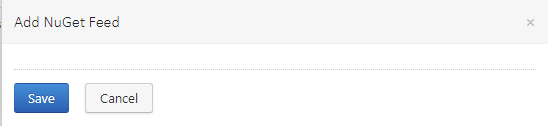
The delete option runs, but does not delete the values! It does not give any errors or messages of failure.
Please sign in to leave a comment.
Hi James,
that's quite strange. Please do the following:
-Check for proxy issues. If you are forwarding to http://servername/teamcity you might be having issues with proxy configuration and it might be blocking the requests.
-Check the browser console and see whether any error is reported there.
-Check the teamcity-server.log/teamcity-ws.log to see whether issues are being logged there (you can send them to us for review as well using the Submit a request button on top of this page)
-If you want to just modify the URLs there, you can check the Root Project configuration on the XML files within the data directory/config/projects, and modify the URLs directly there. TeamCity should pick up the changes automatically after a few minutes
I ended up opening a support issue. It has led to https://youtrack.jetbrains.com/issue/TW-59979
The Nuget URL is not honoring the global URL