Problem:SSH Upload on Windows Server

I just tried to configure SSH Upload (the server and client are both Windows Server) and I used freeSSHd to build the Windows SSH Server, but it did not succeed and the following exception prompts, I think it should be my configuration problem, you can Would you help me check if my configuration is correct?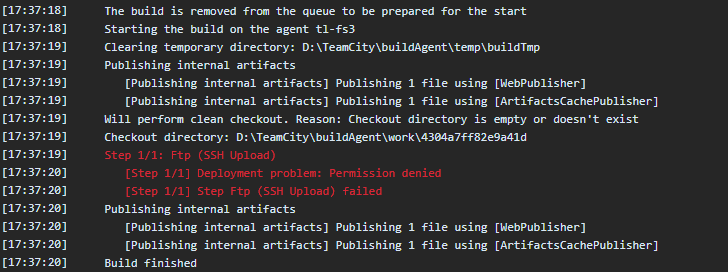

Please sign in to leave a comment.
Hi,
It's not recommended to use full paths in almost any of the possible paths. TeamCity is going to try to access the first part of the path as a full path, and will try to deliver to the second part of the line as the delivery path. Absolute paths are often disallowed as well on remote servers.
The suggestion here would be to ensure that the file "1.sql" is available in the working directory of the build, and that the remote FTP server accepts the path as you are passing it. Usually will be better if the remote server automatically lands the files in a given folder and you pass just a relative path as well.