Mercurial Largefiles Setting Isn't Respected By Server

I'm trying to setup TeamCity to build a Unity game, and I'm getting stuck at simply getting the VCS Root attached. This shows up in the logs:
Failed for the root '"MainHG" {instance id=8, parent internal id=1, parent id=***_MainHG, description: "mercurial: https://***.com/hg"}: 'hg --config ui.interactive=False pull --config extensions.progress= --config "progress.format=topic number" --config progress.delay=0 --config progress.assume-tty=True https://***.com/hg' command failed.
stderr: abort: remote error:

This repository uses the largefiles extension.

Please enable it in your Mercurial config file.
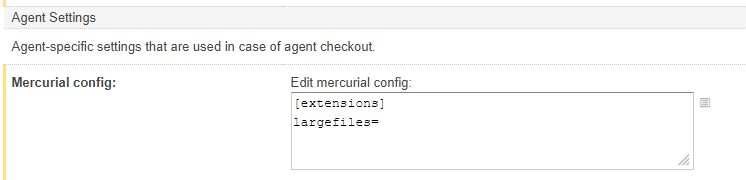
However, I followed the instructions here: https://confluence.jetbrains.com/display/TCD10/Mercurial#Mercurial-AgentSettings and added the [extensions] line to my agent config, its seems pretty straightforward. Am I missing something? The error occurs on the first check for changes.
This is my Mercurial config:
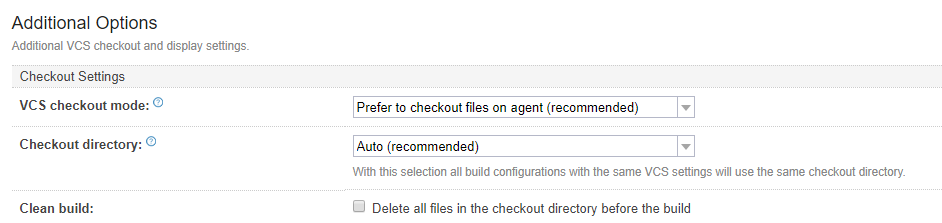
I've set to make sure only an agent checks out:
Anything I can do here?
Thanks!
Matt
Please sign in to leave a comment.
OK, I guess the critical part is this statement here:
Hi Matt,
several pointers for mercurial are included in our upgrade notes, please check them here: https://confluence.jetbrains.com/display/TCD10/Upgrade+Notes
In particular: "the "Mercurial config" is ignored on the server. If you need to enable some Mercurial plugins, please do that in the global .
hgrcon the TeamCity server machine."Thank you, as someone who just started with TC I've not had the pleasure of checking the release notes yet. Perhaps that note can be placed in the mercurial page as well?
Separately, this seems quite odd of a design choice. Largefiles, for example, will impact every single repository on that server, so an agent existing on the server will need to then explicitly disable largefiles in case that it has committing to some repository as a workflow. For me its OK either way, but it seems to force global configurations to work around per-project issues.
Would it be possible to consider exposing only official mercurial extensions for the server, and that means custom ones have to be done in a global .hgrc?
I've updated the %USERPROFILE%\mercurial.ini file, and I still get an error message regarding LargeFiles(full error message below).
To make matters worse, I don't even want the LargeFiles option, the extension got added to the Repo by someone who didn't realize what it was, and now I can't get TeamCity to recognize that there is no LargeFiles in the Repo, even though we've removed all known traces by stripping the changeset, as well as removing the tag in the "requires" file in all locations.
At this point, we just need to build our software, so solutions for either avenue are more than welcome, as time is of the essence.
Failed for the root '"Syra App Root" {instance id=40, parent internal id=1, parent id=SyrasoftApplication_SyraAppRoot, description: "mercurial: <<REDACTED>>"}: 'hg --config ui.interactive=False pull --config extensions.progress= --config "progress.format=topic number" --config progress.delay=0 --config progress.assume-tty=True https://******:******@<<REDACTED>>' command failed.
stderr: abort: repository requires features unknown to this Mercurial: largefiles!
(see https://mercurial-scm.org/wiki/MissingRequirement for more information)
I'm guessing you saw this page:
https://stackoverflow.com/questions/15419442/how-to-remove-largefiles-from-mercurial-repo
Backing out largefiles is not going to be easy.
Yes, I did see that page, and the steps performed seems to have worked with all instances of TortoiseHg that our Dev Team has. The only thing still picking up anything regarding "largefiles" is TeamCity. Best I can figure, there's something in TeamCity similar to the "requires" file that we had to manually modify on each Dev Team PC in order to continue operation as expected in TortoiseHg.
Hi Matt,
While enabling largefiles is required for the agents to download the content and start the build, TeamCity Server first has to connect to the VCS server as well to handle the information about revisions. Can you check (or send us) where the issue happens? If it happens while testing the VCS Root or before the build enters the process in the agent (the first steps are taken in the server), you might need to ensure that the mercurial used by the server is also configured to do so.
If anyone encounters a similar problem, check which user is running the TC server and change the correct user`s configuration!!! In my case, the service was running as SYSTEM, so I changed the configuration file at C:\Windows\System32\config\systemprofile.