TeamCity Pro 2018.1 Agent Push Register

hi,
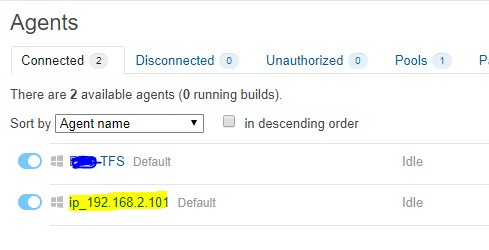
I have issue for the agent name, may know how can change to HOST NAME instance of IP Address?
I using Agent Push, and under the host name I insert the computer name but after finish install on Agents is show the IP Address.
how I can change it to HOST NAME, I don't want show the IP Address. thanks.
Please sign in to leave a comment.
Hi Kelvin,
You can access the agent and check the build agent installation folder, then modify the agent name on the "conf/buildAgent.properties" file. That should get it going for now. Changing the configuration of this file will be picked up by the process in a few seconds and it will restart itself to apply the new changes.