Build is triggered even without changes matching the trigger rules

Our workflow is based on using many branches. We have set up a build that uses trigger rules, to only start in case there were changes in a particular folder (See screenshot):
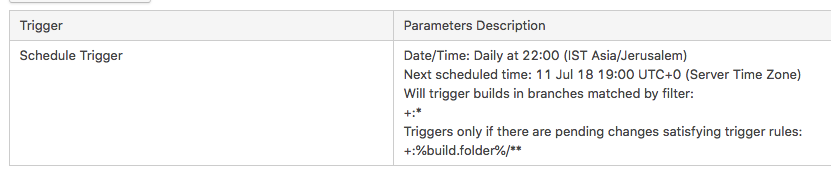 The build is fired even though there were no changes in those folders. Also, i could not see any information in the build log as to how the decision to fire the build was made.
What could be the issue here?
build.folder is set to Assets/DynamicContent/Events. According to the "Changes" tab, there were no changes under that folder.
Please sign in to leave a comment.
Hi Lior,
I've just tested it and it seems to work just fine on my end. Could you check the build results page of an incorrectly triggered build for the "Triggered by" field? The most common scenario here is a dependency actually triggering the build instead of the trigger. Could you check whether this is the case and provide us with a screenshot of it plus the changes paths if it's not?
This is a screenshot showing that this build was triggered by the schedule trigger (not by me manually):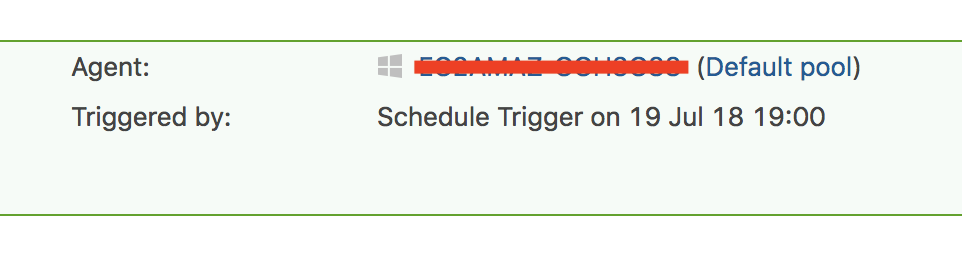 Here is the list of changed files that TeamCity shows:
none of these files are related to the trigger rules i had set...