Unmet agent requirements on build, but agent shows configuration as compatible

I have a build configuration which which makes use of a .NET build step and so has the following build step requirements:
Exists=>MSBuildTools17\.0_.+_Path
Exists=>(DotNetFrameworkTargetingPack4.7.2_Path)
Since upgrading to teamcity on-premises 2026.01 this build is sometimes able to find a compatible agent and sometimes not. Simply clicking the “Run” button results in the agent showing as incompatible.

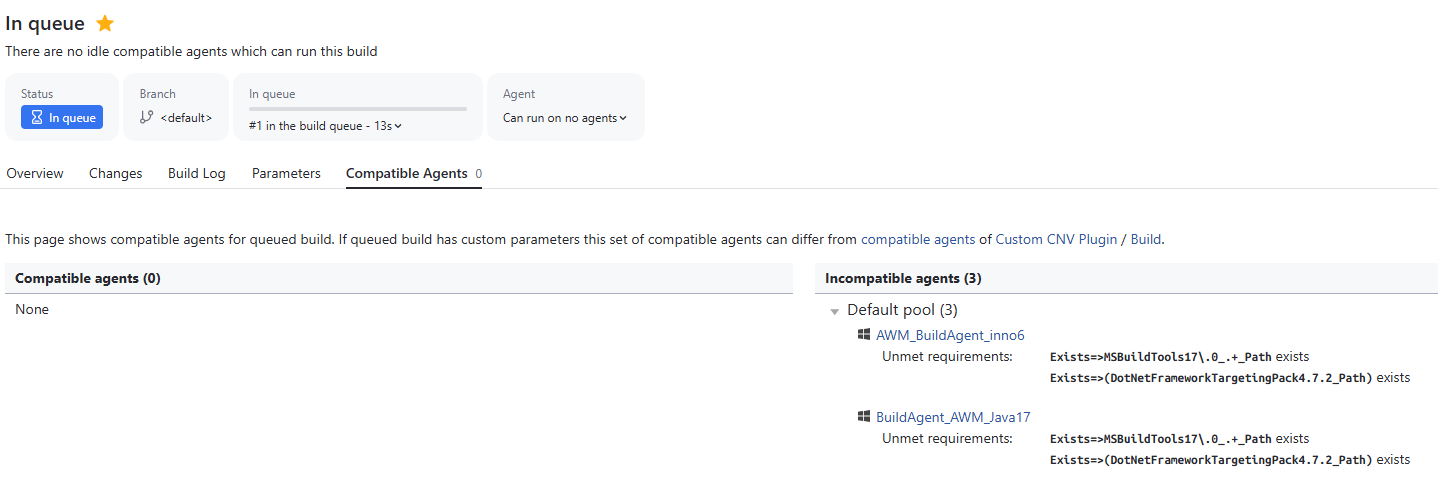
Intermittently, however, I'm able to “Run custom build” and select the specific agent, which works fine. Also, the build configuration itself (as opposed to the queued build) reports the agent as compatible:
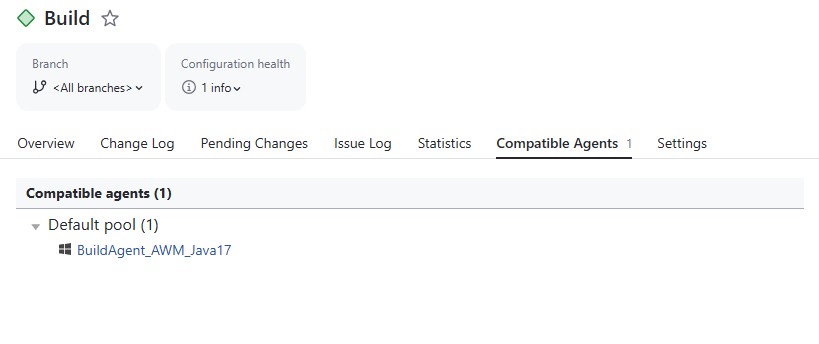
The build configuration appears in the list of “compatible configurations” in the agent settings. The parameters highlighted in the “Unment requirements” exist (and the referenced directories exist) on the agent.


I can't see any reason for this inconsistent behaviour. Is there anything else I can try, or could this be a bug in the new version?
Please sign in to leave a comment.
We've been experiencing the same with agents requiring .net 10 (Exists=>(DotNetCoreSDK10\.[\.\d]*_Path)). Builds will work the first time then report “There are no idle compatible agents which can run this build”. The UI will sometimes show agents that are compatible on the same page it reports that none are compatible:
On this screenshot, the “RUST-1.88.0-WIN32-44” agent does not have the DotNetCoreSDK10 parameter, but is still reported as compatible.
The "VS2026-BLD-18.0.1" agent also shows a message “The cloud image instance was not stopped properly. The respective build agent will continue being registered in TeamCity until the timeout and therefore might get assigned to new builds. To prevent this, cloud instances should be stopped in the cloud profile settings.”.
This problem started after upgrading server and agents to 2026.1.
I think I've fixed this in my case by entirely reinstalling the build agent (still on 2026.1)
I created an issue in our issue tracker for that: https://youtrack.jetbrains.com/issue/TW-100874
Please vote for it and subscribe to receive updates regarding the fix. It also has a workaround that could work in the meantime.
Best regards,
Anton
I got the confirmation that the automatic requirements imposed by the .NET build step weren't changed.
However, there were some changes in how agent parameters are communicated.
Since Lewis was able to work around this issue by reinstalling the agent, could you try it on one of the affected agents in your environment and let me know the results? It may help with the investigation.
Best regards,
Anton
The fix is planned for the nearest bug fix release (2026.1.1).
Best regards,
Anton