Out of Memory issue when viewing Change Log in TeamCity

Hello,
I’m experiencing a serious issue related to the Change Log feature in TeamCity and would like to know if there is a proper way to resolve or prevent it.
Environment
- TeamCity Server: 2021.1.2
- OS: Windows 11
- Database: MySQL
- VCS Root: Long-lived development branch (used continuously for over 3+ years)
Problem Description
- We have several Build Configurations that use a development branch (with more than 3 years of history) as their VCS Root.
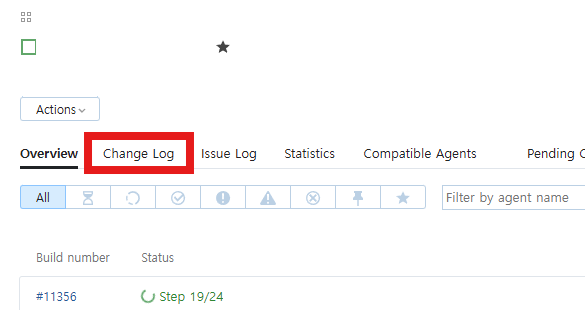
- When clicking the Change Log button for these Build Configurations, the TeamCity server triggers an Out of Memory error.
- After this happens, the server becomes unresponsive and requires a manual restart.
- Because of this, the Change Log button has effectively become a “time bomb” — even an accidental click by any user can bring the server down.
What I’ve Tried
- I searched through documentation, forums, and AI-based search tools but couldn’t find a clear solution.
- The only workaround I currently know is: Detaching and re-attaching the VCS Root to reset the change log history
- Reattach it again, which fully resets the Change Log history
- This does temporarily solve the problem, but:
- It causes several inconveniences
- It’s clearly not a permanent or clean solution
Questions
- Is there an official or recommended way to fix or prevent this issue?
- Are there any TeamCity settings related to Change Log size, history limits, or memory usage that could help?
- Or is it possible that the VCS Root / Build Configuration is fundamentally misconfigured on our side?
Any advice or insights would be greatly appreciated.
Thank you in advance.
Please sign in to leave a comment.
Hi,
Thank you for reporting the issue.
Please note that TeamCity 2021.x is end-of-support, and we no longer provide regular technical support for this On-Premises release. For more details, see the documentation.
Later versions of TeamCity include significant performance improvements and optimized Change Log handling, so upgrading is strongly recommended.
In the meantime, you can try the following workarounds, though upgrading remains the preferred solution:
1. Adjust internal properties
Limits the Change Log to include only changes from builds started within the last 30 days, which can significantly reduce memory usage for long-lived VCS roots.
Optionally lower from the default 3 years (1095 days) to 1 year (365 days).
Note: Setting this value too low may cause unexpected issues with build history.
2. Check JVM memory:
Ensure the TeamCity server has sufficient heap size (-Xmx).
Increase the heap only after applying the above property changes, to avoid masking underlying data volume issues.
For instructions on setting internal properties, please see: https://www.jetbrains.com/help/teamcity/server-startup-properties.html#JVM+Options.
These steps may help mitigate Out of Memory errors, but the most effective solution is to upgrade to a supported TeamCity version.
Hi,
Thank you for the quick and detailed response. Setting the
teamcity.changeLog.buildsActiveDaysvalue resolved the issue; it has been configured to 180. For reference, the JVM heap is already set to 10 GB, which is relatively large compared to the size of our project. When the opportunity arises, we will also proceed with a version upgrade as you recommended.Best regards,
Thank you for the update.
I’m glad to hear that setting teamcity.changeLog.buildsActiveDays to 180 resolved the issue.
Upgrading when you have the opportunity sounds like a good plan, as newer versions include improvements in performance and Change Log handling.
Please feel free to reach out if you need any assistance with the upgrade or if you run into any other issues.