Tag branch as default branch

I am using configuration for tags in my vcs:
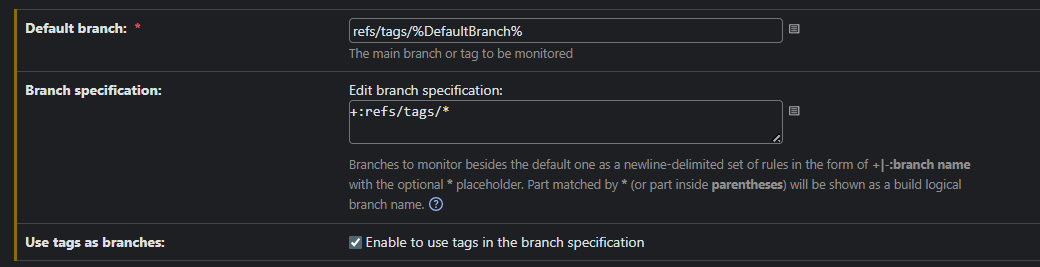
Default branch contains name of tag.
When I Test connection it is successful.
On build page tag branch is listed and build scheduler work ok. But Default branch is not displayed as default :/
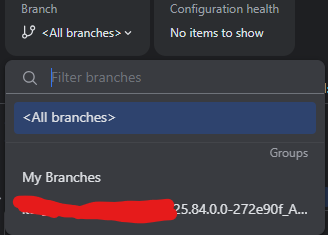
It is important for me because only for default branch is displayed build status. For my build it is gray:

Please sign in to leave a comment.
Hi,
Could you please share the TeamCity server version and the type of VCS root you're using?
Based on my testing, this setup works as expected with TeamCity server version 2025.07.2 and a GitHub repository. Please refer to the attached screenshot for reference.
Additionally, you can find more details about project and build configuration icons in the TeamCity documentation: https://www.jetbrains.com/help/teamcity/build-state.html#Project+and+Build+Configuration+Icons.
I am using same version of TeamCity 2025.07.2 but with Git repository.
What is your settings in VCS for default branch etc ?
If I set this field only with tag name without refs\tags I get error:
Hi,
> What is your settings in VCS for default branch etc ?
I used the same setting with you
> Cannot find revision of the default branch 'yyy_ApiTests_uat' of vcs root 'jetbrains.git'
Because the error is simply because yyy_ApiTests_uat is not a valid GitFor example, if you are using a GitHub repository, you can find more information about managing and viewing tags in the documentation here: https://docs.github.com/en/repositories/releasing-projects-on-github/viewing-your-repositorys-releases-and-tags#viewing-tags.
Best Regards,
Tom