Problem with run build on Bitbucket tag - Failed to collect changes

I want to run build on tags commits so I set
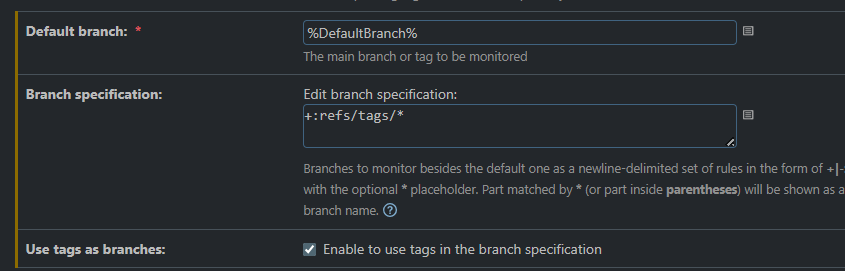
DefaultBranch parameter is set to value of tag in Bitbucket
But on build page default branch is not displayed.
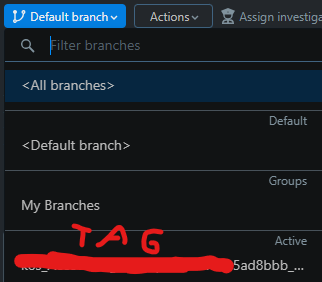
Only my tag is visible as Active, but when I run build on this tag as branch I get:
Failed to collect changes, error: Cannot find revision of the default branch '***5ad8bbb_ApiTests_uat' of vcs root ABC', VCS root: "ABC" {instance id=78571, parent internal id=13588, parent id=ABC, description: "ssh://git@bitbucket*****.git#***5ad8bbb_ApiTests_uat"}
Why teamcity cannot find my git tag ?
Please sign in to leave a comment.
Hi Lukasz,
It's difficult to tell what caused the problem without seeing the full error message. Could you please collect the following data and upload it to https://uploads.jetbrains.com/? Once done, please let me know the upload ID.
teamcity-vcs.logteamcity-vcs-states.loggit ls-remote | grep refs/tags/DEFAULT_BRANCH. Please replace “DEFAULT_BRANCH” with the name of the tag that you used for the Default branch in your setup. If you work on Windows, you can use the OS-specific alternatives forgreplikeFINDSTR.