Problem talking to TFS "The Local Security Authority cannot be contacted"

Hi,
I am trying to setup our first TFS based build (TC5.1.2, build 13430 on a windows box).
I have the server url set like this http://<machine>:8080
Have also specified valid AD username/password info.
Then a root of $/<project name>/<project catalogue>
(I presume there should be a / between the two).
But when I try to test the connection, I get the error below.
From a little googling, it seems this might a misconfiguration on the server - I don't suppose anyone can confirm this?
EDIT:
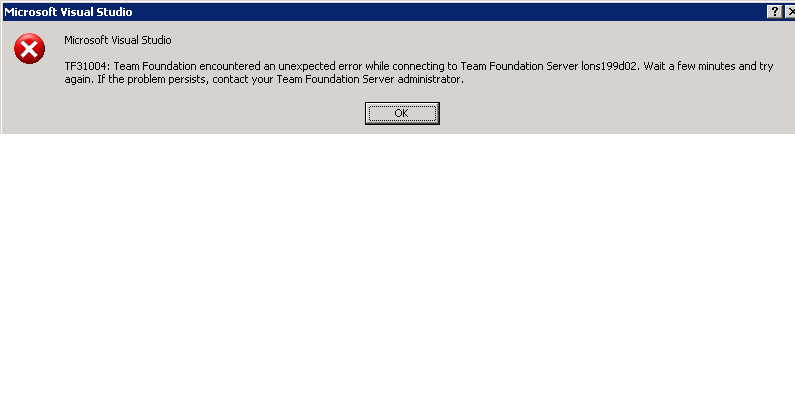
Tried using VS on the server and get an error when trying to connect to TFS, see attached screenshot - I guess this is a more fundamental issue that Team City.
EDIT2:
If I switch to using my own user credentials rather than the build user, it tests ok - so I guess the issue is with the build users setup. Will get that checked in AD. It has the same "Team Member" status on the TFS project, but I guess that is not sufficient - or its one of those AD delay things...
Thanks,
Chris
INFO - Use Tfs from JetBrains.TeamCity.Tfs.Tfs8Accessor
TFS Native Accessor v5.1 Copyright (C) 2006-2010 JetBrains s.r.o.
INFO - Connecting to server http://lons199d02:8080
Connection test:
Server='http://<machine>:8080'
Username='<domain>\<user>'
Root='$/<project name>/<project catalogue>'
ERROR - Client found response content type of 'text/html', but expected 'text/xml'.
The request failed with the error message:
--
<html><head><title>Error</title></head><body>The Local Security Authority cannot be contacted
</body></html>
--.
System.Exception: Client found response content type of 'text/html', but expected 'text/xml'.
The request failed with the error message:
--
<html><head><title>Error</title></head><body>The Local Security Authority cannot be contacted
</body></html>
--. ---> System.InvalidOperationException: Client found response content type of 'text/html', but expected 'text/xml'.
The request failed with the error message:
--
<html><head><title>Error</title></head><body>The Local Security Authority cannot be contacted
</body></html>
--.
at System.Web.Services.Protocols.SoapHttpClientProtocol.ReadResponse(SoapClientMessage message, WebResponse response, Stream responseStream, Boolean asyncCall)
at System.Web.Services.Protocols.SoapHttpClientProtocol.Invoke(String methodName, Object[] parameters)
at Microsoft.TeamFoundation.Client.CheckAuthenticationProxy.CheckAuthentication()
at Microsoft.TeamFoundation.Client.TeamFoundationServer.Authenticate(Boolean useProvider, ICredentialsProvider provider)
at Microsoft.TeamFoundation.Client.TeamFoundationServer.Authenticate()
at JetBrains.TeamCity.Tfs.Command.Do() in c:\Agent\work\bf3e38e9237c2e2\TfsNativeAccessor\src\Command.cs:line 26
at JetBrains.TeamCity.Tfs.Program.Main(String[] args) in c:\Agent\work\bf3e38e9237c2e2\TfsNativeAccessor\src\Program.cs:line 110
--- End of inner exception stack trace ---
at JetBrains.TeamCity.Tfs.Program.Main(String[] args) in c:\Agent\work\bf3e38e9237c2e2\TfsNativeAccessor\src\Program.cs:line 296
, Stderr::
Attachment(s):
teamcity-tfs.PNG
Please sign in to leave a comment.
Hello Chris,
Could you please open http://<machine>:8080 link in browser using the same account that TeamCity use? What response do you get?
Kind regards,
Marina
Hi,
I presume machine is the TFS machine.
When I do this for either my user or the build user, I get this error:
Directory Listing Denied
This Virtual Directory does not allow contents to be listed.
I have managed to logon to a different server using this build user where I can open Visual Studio and it can see the projects I am after.
The build user does not currently have the ability to logon to the Team City build server itself - I plan to enable that next to see if it helps or maybe gives more clues if I use VS on that box.
Thanks,
Chris
Chris,
Could you please run TeamCity service using the same account that used to access TFS.
Hope this help,
Marina
Hi,
Thanks - tried that but the service does not start then, gives logon failure error.
However I am confident the password is correct, as I can logon to a different server with it.
I am still waiting on the admin people to give the account the ability to logon to this server - hopefully that will fix things.
Thanks,
Chris
We have permissioned the build user to be able to logon onto the Team City server and that has fixed the problem - it can connect to TFS and pull down code.
Thanks,
Chris