Bundler, RVM, gemsets and per project settings...

Hi,
I have per-project .rvmrc files, specifying ruby version and a project gemset.
I currently have this setup as follows, with 3 build steps:
- Command line, ensure bundler is installed, run bundle install to ensure all required gems are in place - in the project ruby/gemset area.
- Rake task to get the (sqlite) db migrated (rvm interpreter specified)
- Rake task to run the tests (rvm interpreter specified)
As I have project .rvmrc files, I'd hope to be able to miss out the rvm interpreter and let TeamCity Rake task do the right thing via the .rvmrc file - but oh well and it seems to do the right thing anyway.
This has been working fine for me, but now I am trying to add rcov into the mix...
So far, I have only added it as a dependancy in the Gemfile, which I can see it installed/listed in my build step 1, but not visible in step 2 - it complains that it could not find the rcov gem "Could not find rcov-0.9.9 in any of the sources"
So, I am trying to rejig things, and went for 1 command line build step that does all of the above in one go. This is working, but its not detecting the failed tests anymore.
Is there a way to TeamCity to see the failed tests from a command line build step?
Please sign in to leave a comment.
Chris, what version of TeamCity do you use?
Hi Pavel,
I am using TeamCity Professional Version 6.0.1 (build 15816)
Thanks,
Chris
Chris, have you tried to use Ruby environment build feature: http://confluence.jetbrains.net/display/TCD6/Adding+Ruby+Environment+Configurator
Sorry, I am not an expert in Ruby specifics, but I forwarded your question to responsible developer. The problem is - we currently have long holidays, till the January 10th. So I am not sure he will be able to reply soon.
Hi Pavel,
No problem - was not expecting much of a response before next week anyway.
Thanks for the link, but I am using the rvm option, relying on rvm to pickup the project .rvmrc file - which seems to be working sometimes, but occasionally it seems to be failing in some way....
~Chris
Hello Chris,
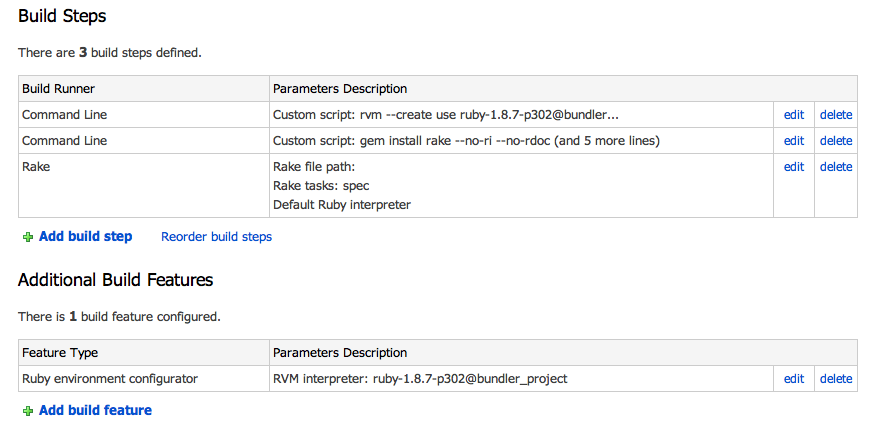
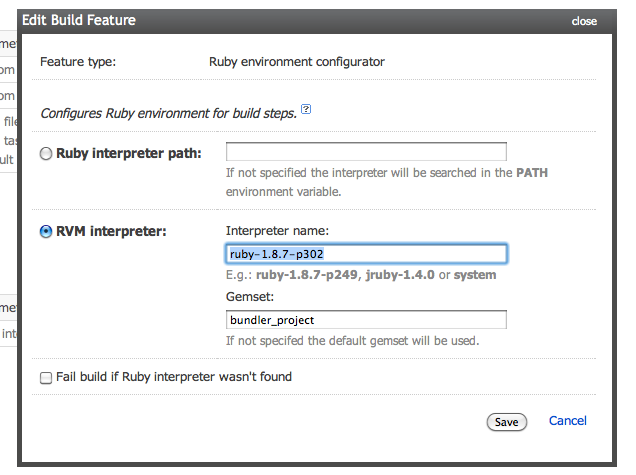
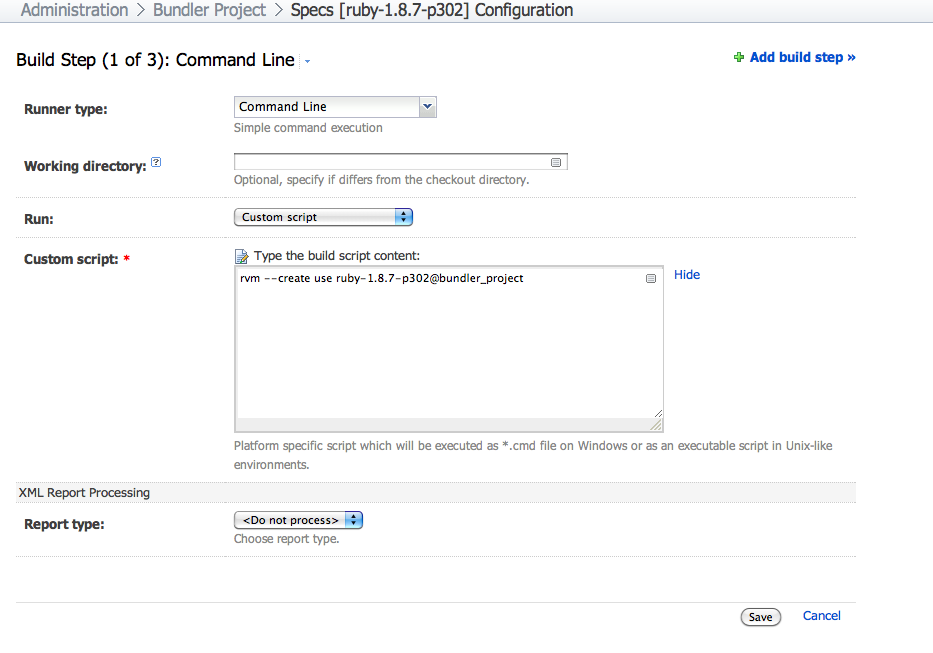
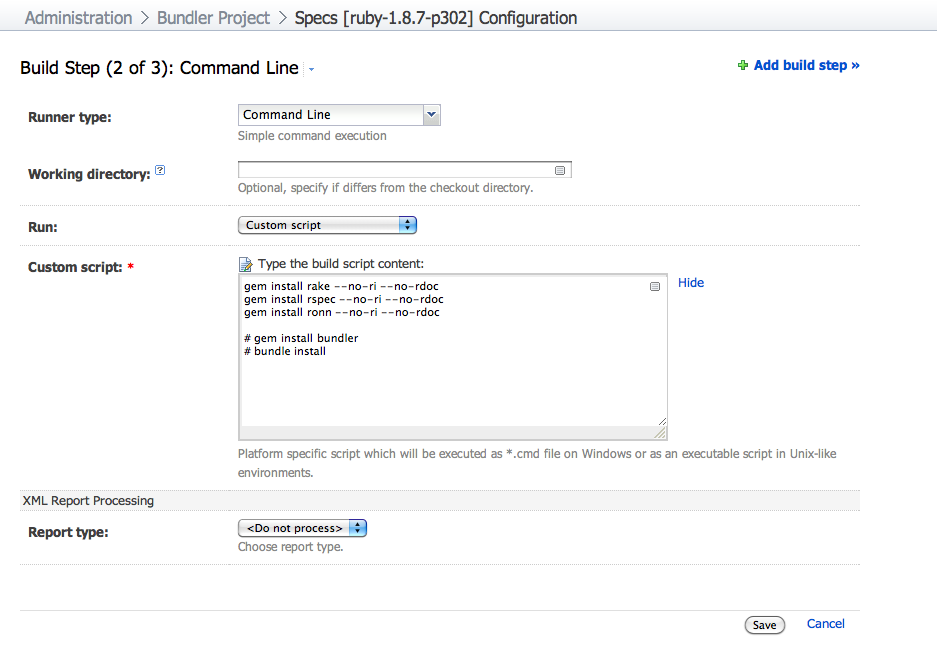
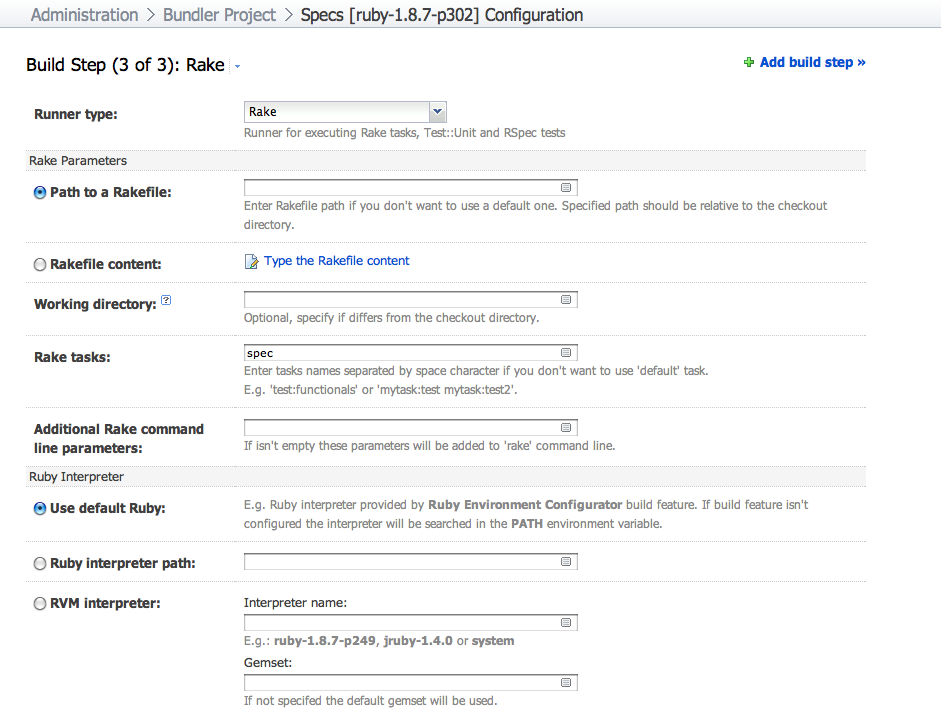
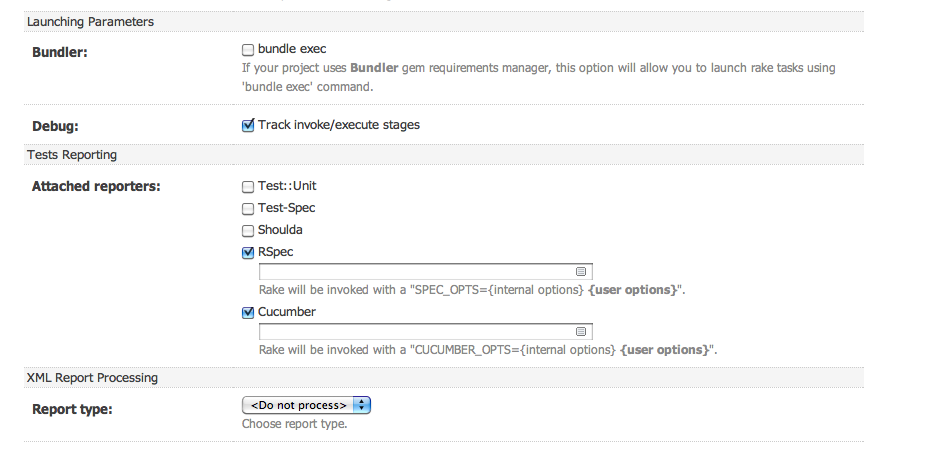
TeamCity Rake runner doesn't automatically apply .rvmrc settings. So most likely command line step use ruby interpreter available in PATH of TeamCity agent process. And rake task is launched using some Ruby interpreter according to rake runner build step settings. I suggest to configure Ruby environment build feature, which specify RVM dist and gemset names. Then configure Rake runner build steps to use default ruby interpreter, provided by build feature. Such configuration should guarantee that all steps using the same Ruby interpreter which will be added to system PATH.
Example of similar build configuration (available at http://teamcity.jetbrains.com/viewType.html?buildTypeId=bt209&tab=buildTypeSettings&guest=1 )
1. 3 steps and Ruby env build feature
2. Ruby env build feature uses RVM interpreter
3. Build steps which creates gemset (if not defined) and installs gems. It's important when build agents are in EC2 Amazon cloud, because TC stops them after some period of inactivity and you have to configure gems and gemset again.
4. Rake build step.
Thanks, will try this.
Seems to be a little more involved than I'd hoped - any plans to cater for project .rvmrc files in future?
~chris
Please vote & track http://youtrack.jetbrains.net/issue/TW-14493 issue
Thanks, I had already voted for it :)
~chris