How to enable Rake runner

Hi,
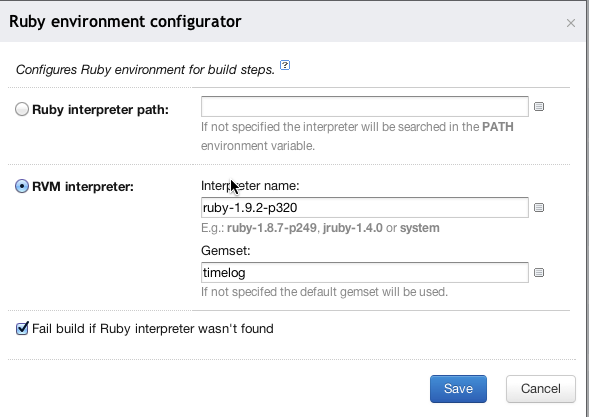
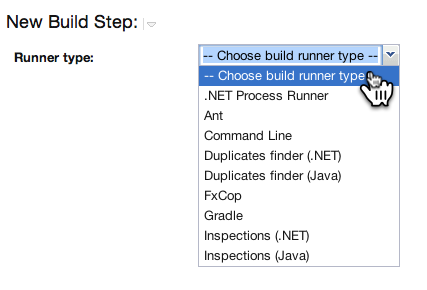
i have Project with both cucumber and rake configurations. Both are configured by Command line steps. I would like to switch it to Rake runner steps. In documentation i found i need to have "Ruby environment configurator" feature in Build steps. I've configured rvm (rec.png) and from env command, it looks like configured ok. But still can't see Rake runner in Runner types (Runner type.png) when creating new Build step.
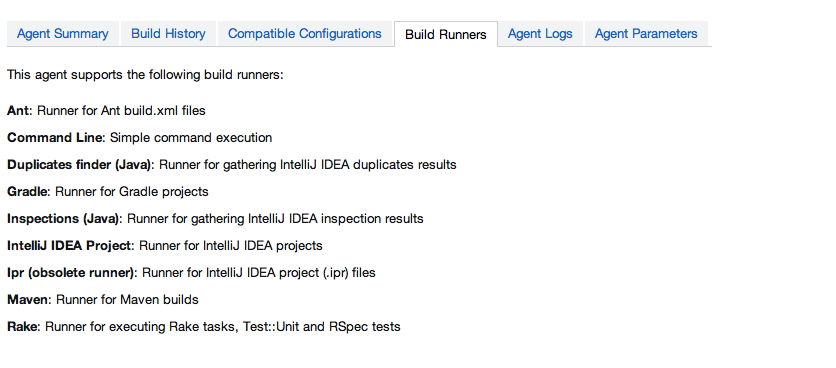
I am able to see Rake runner in both Plugin List (Plugins List -- TeamCity.png) and Build agent's Build Runners (Build Runners -- TeamCity.png) so i guess it's loaded as much as possible ;)
RVM: 1.13.4
OS: MacOS X Lion (10.7.3)
TeamCity: TeamCity Professional 7.0.2 (build 21349)
What do i need to be able to use Rake runner?
Attachment(s):
Plugins List -- TeamCity.png

rec.png
Runner type.png
Build Runners -- TeamCity.png
Please sign in to leave a comment.
Hello Milan,
There a bug with missing scrollbars in dropdown lists when opening web interface from MacOS. http://youtrack.jetbrains.com/issue/TW-20386
Workaround is just start typing "Rake" at "Runner type" input field or moving at this dropdown using arrow keys.
Regards,
Vladislav.
Thank you a lot
Develop with pleasure! :)
PS: Could you please mark this discussion as answered?
I can't see here button for that