VCS Trigger and Branch Filters

Hello,
I am currently evaluating TeamCity and I have issues with properly setting up VCS-Triggers for a project:
In the VCS Root I set the default branch to be "develop" and specifications to all heads: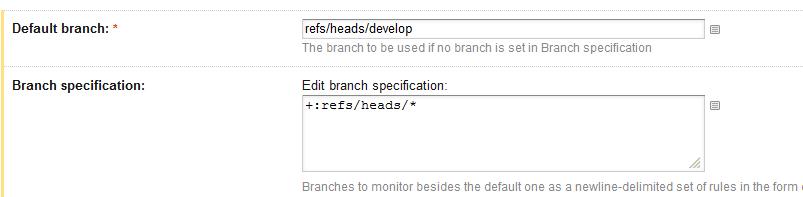
In the VCS Trigger in the configuration for the CI-Build I specified that I only want to build "develop" and "feature/*" branches: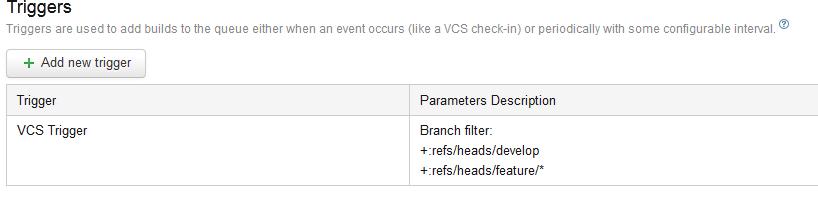
However, when I commit a change to one of the feature branches or to the develop branches, no build is triggered and the changes are listed as pending with no possibility to find out why no build was triggered. Logs didn't help here either:
What am I doing incorrect here?
Thank you
Please sign in to leave a comment.
Hello, as mentioned in VCS trigger description, you need to use logical names of branches, i.e. what you see on the build configuration page. In your case logical names would be develop, myFeature1, myFeature2, etc. (http://confluence.jetbrains.com/display/TCD8/Working+with+Feature+Branches#WorkingwithFeatureBranches-logicalBranchName)
You need to change branch spec to this:
+:refs/heads/develop
+:refs/heads/(features/*)
and use trigger rules:
+:develop
+:features/*