Mercurial Integration(bitbucket) with TeamCity

I am using bitbucket and also mercurial. I want to integrate TeamCity with this setup.
I created a public key and private key.
I can use this command on my build server
>>>>> hg clone ssh://hg@bitbucket.org/companyname/projectname
and it works fine.
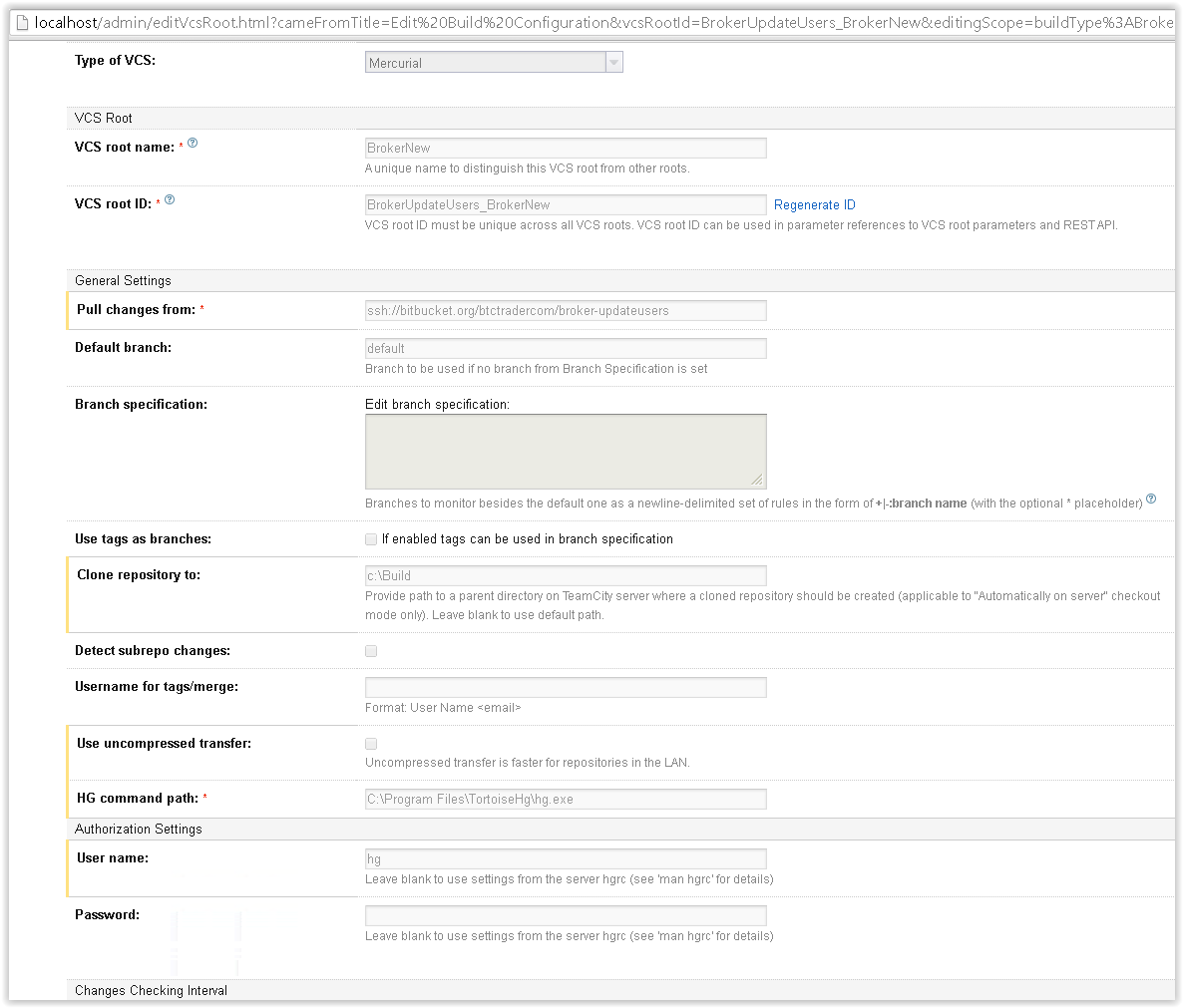
But when i do the configuration on Teamcity i just creates an empty folder and it does not work and does not raise an error.Please help me.
Thank u very much.
# Generated by TortoiseHg settings dialog
[ui]
ssh = "C:\Program Files\TortoiseHg\TortoisePlink.exe" -ssh -2 -i "C:\Program Files\TortoiseHg\PrivateKey.ppk"
Attachment(s):
Screen Shot 05-05-14 at 06.29 PM.PNG

Screen Shot 05-05-14 at 06.15 PM 001.PNG

Screen Shot 05-05-14 at 06.15 PM.PNG
Please sign in to leave a comment.
Hi,
According to screenshots all VSC settings are correct. When you set "Clone repository to" path it actually clones a bare repository to a server. So you will see only .hg folder for Mercurial VCS. You can find source files in Build checkout directory. By default, this is <Build agent home>/work directory or you can specify the checkout directory when configuring Checkout Settings on the VCS Settings page (advanced options).