Build hang after cancelation - can not stop

Hello,
Is installed TeamCity Professional 2017.1 (build 46533)
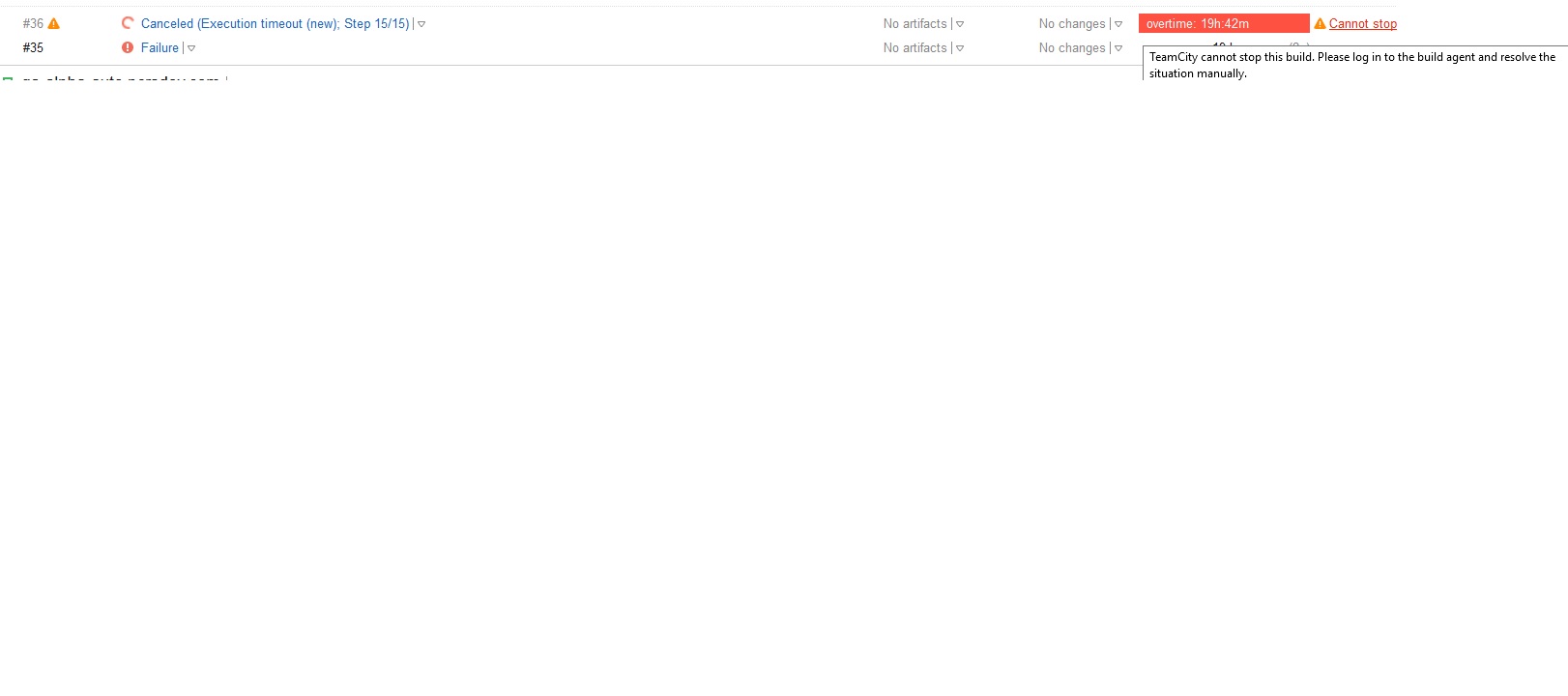
Build is hanging, there is no option to stop. Overtime is 19hours... ans still grow up. Agent and TC server restart (windows service restart) not help. Kill the process also not help.
Any idea how to cancel/terminate the build ?
attached screen:
Please sign in to leave a comment.
Hi Thomas,
Sorry for the delay. It looks likely that the build process just got stuck and out of the control of TeamCity. As the pop up shows, you should log in into the build agent's machine, and you will probably need to find and kill the process manually. Not the build agent's, but the build process itself. What it is will depend on your build.
Could you try that?
Hello,
Issue has been resolved, below solution:
1. Stop "TeamCity Build Agent Service"
2. Delete directory C:\BuildAgent\work\8d9d402069ed42b8 (it was teamcity.build.checkoutDir for impacted build)
3. start "TeamCity Build Agent Service"
We see this issue as well in TeamCity Enterprise 2019.1.3 (build 66439). We use a workaround of pulling up the build on the secondary server and it somehow knocks the main server upside the head and it catches up...but would really like to see JB fix this one.
Hi Matt,
the issue (https://youtrack.jetbrains.com/issue/TW-61571) is fixed in the 2019.1.4 version. Please consider upgrading.
Another workaround could be just to kill the build agent service forcefully using kill command . Please try this out as well in case build is in hung state.
Running 2021.1.3 and just had this happen. Build is stuck, says it can't contact agent, but agent has been restarted (full OS restart), and has been running other builds fine. Restart of server does nothing either.
Note that https://youtrack.jetbrains.com/issue/TW-61571 is still open, but does contain a way to remove the offending build with an SQL query that worked for me.