Showing all git branches in build configuration, empty dropdown?

Hello,
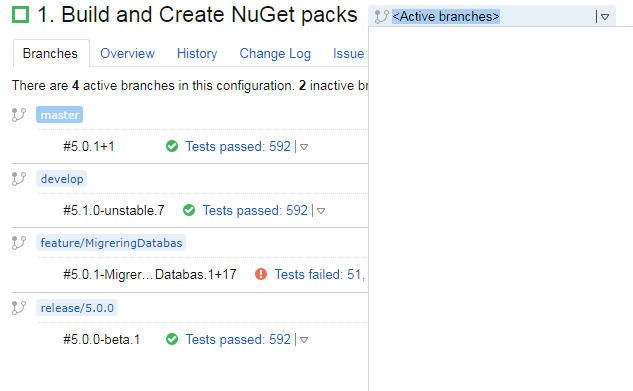
We're experiencing an issue where the dropdown to show all branches is returning nothing, looking at the logs, I can't see anything obvious as to why this is happening. Basically, I've no idea where to look to fix this, could it be a permission issue perhaps? We're running TeamCity Enterprise 2017.1.1 (build 46654), and at this time it's really not an option to upgrade.
Please sign in to leave a comment.
After some investigation we found a solution, in my web browser, I could see in the console that a particular request was returning an error (400). Following that link, it appears that IIS detected it as a potentially dangerous request, because it contained the ":" character.
(http://<the team city url>/app/rest/buildTypes/id:<the id of the build config>/branches?locator=policy:ALL_BRANCHES,changesFromDependencies:false&fields=branch(internalName,default,active))
This image shows how to fix it.
Hi Johan, and thanks for the report and solution. I'll pass this along internally, we will try to add it to our documentation.
I logged in just to thank you, Johan Hugg! This is something rather obscure and it took me some time to get here.
Everything was working flawlessly (triggers, branch filters, everything!), but the Active Branches list was coming up empty with no warning/message at all.
Obs.: I'm running TC 2017.1.1 (build 46654).