TeamCity Professional 10.0.3 (build 42434) Visual studio 2013 solution error :Unmet requirements: MSBuildTools12.0_x86_Path exists

I am new to TeamCity and difficulties building Visual studio 2013 soln testing on win 7 .My Plan is to make TeamCity automate build & deployment on committing to svn server with 2 builds. 1-Build -> Build xyz.sln file with 2 web application projects -> proj1 & proj2 . 2-Publish -> If 1-Build is Successful then publish proj2 web application project to test & prod server (2 servers). I did the setup of svn trunk on TeamCity which has xyz.soln file and connection tested successfully. When I tried to build the configuration with my xyz.soln Build Step :
When I tried to run the build it was giving: Warning: No enabled compatible agents for this build configuration. Please register a build agent or tweak build configuration requirements.  Followed this -> http://www.danmusk.com/how-to-build-asp-net-applications-in-teamcity-with-msbuild-tools-2013-and-net-framework-4-5-sdk/
Installed MSBuild separately and confirmed MSBuild Tools 2013 -> C:\Program Files (x86)\MSBuild\12.0\Bin also
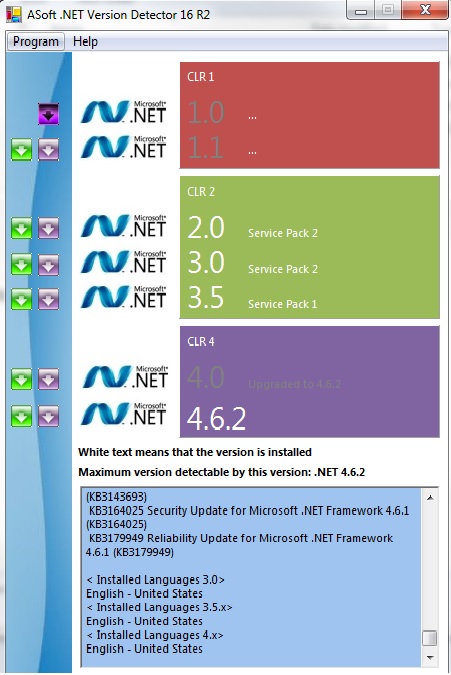
.Net framework ->
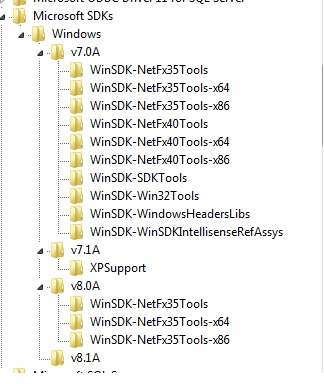
windows SDK ->
Any help would be great? Need to fix this Issue badly .
Please sign in to leave a comment.
Hi,
On one of our installation we faced a similar issue where following all the usual steps still resulted in the build agent not being able to pick up environment path variable changes.
Rather then spending an entire day finding out the proper procedure we opted to instruct our agent instead. By going into the conf folder of your BuildAgent installation location, you can open up buildAgent.properties and add these lines at the bottom:
Then after restarting the agent(s) we were able to build again.
Hope this helps,