Need some help, getting NodeJs runner to work on Docker Agent

Hi I am evaluating TeamCity at the moment. I have the Server running well and most of our maven based applications. However I am struggling to get NodeJs runner to work. I have tried many different docker agent configurations to get it to run.
Here is a snipet of the docker compose used to start the agent:
teamcity-agent:
image: jetbrains/teamcity-agent
container_name: teamcity-agent1
user: root
environment:
- "SERVER_URL=http://xxxx:8111"
- "AGENT_NAME=Default Agent"
volumes:
- /var/run/docker.sock:/var/run/docker.sock
- teamcity_agent1_conf:/data/teamcity_agent/conf
- teamcity_agent1_work:/opt/buildagent/work
- teamcity_agent1_temp:/opt/buildagent/temp
- teamcity_agent1_tools:/opt/buildagent/tools
- teamcity_agent1_plugins:/opt/buildagent/plugins
- teamcity_agent1_system:/opt/buildagent/system
restart: unless-stopped
depends_on:
- teamcity-server
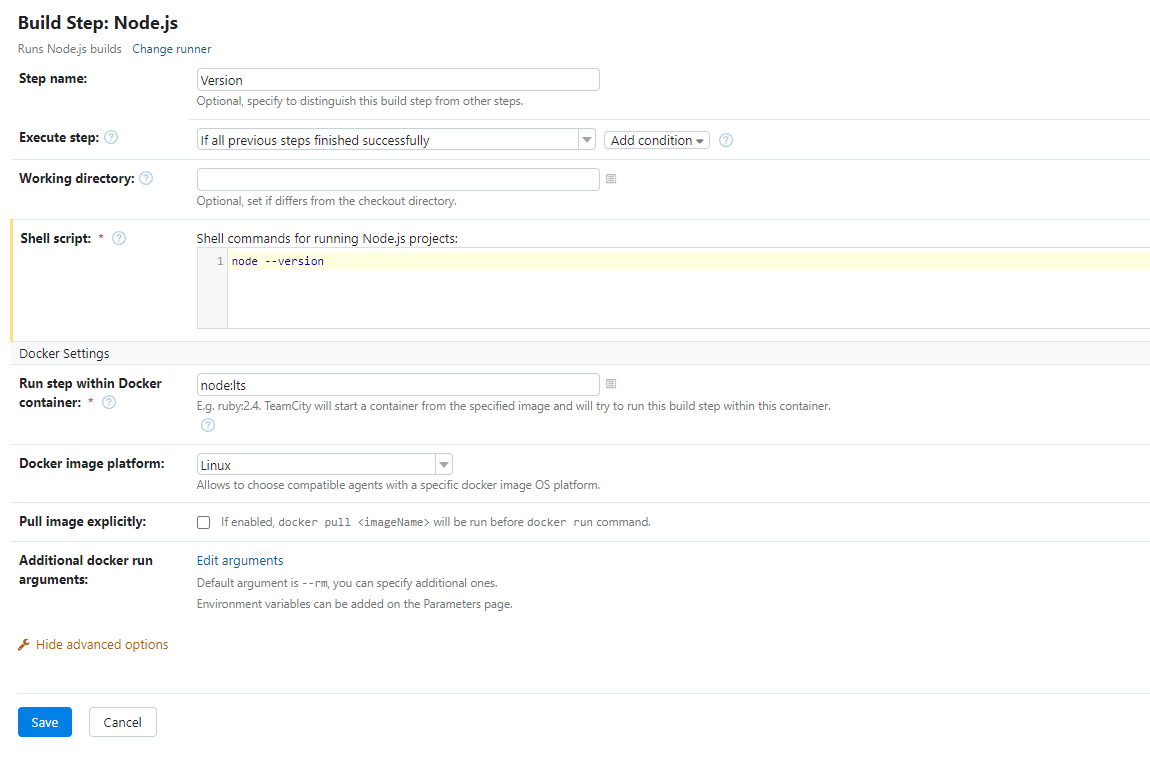
However running a simple command of node --version like the image below gives and error:
Gives the following error.
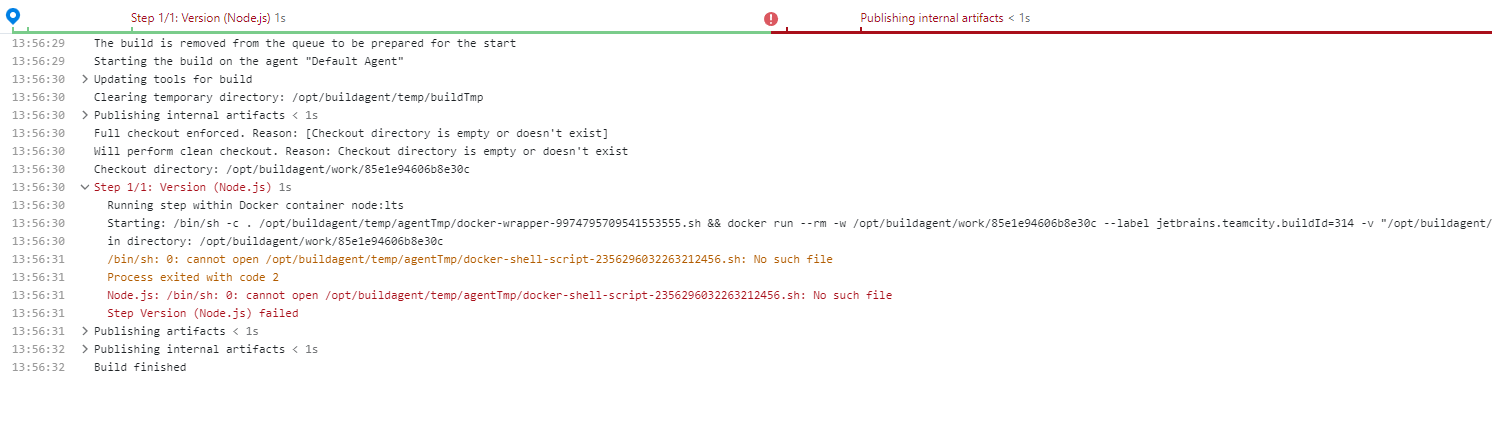
Please help me get the configuration right. My next step is to have the agent on a physical box, so not installed via docker.
Thanks
David
Please sign in to leave a comment.
Hi,
It looks like you have your volumes mapped incorrectly. Please make sure you have the volumes mapped exactly like below (as described in https://hub.docker.com/r/jetbrains/teamcity-agent):
Once you move to a non-docker agent, you can use whatever directories you wish. This is just a limitation of using the docker from your host.
Thanks,
Eric